Yes — and the useful question is not whether but how much. There are three settings, and the difference between them is simply who presses send.
The three settings
| What it does | Called this during setup | Called this in the inbox |
|---|---|---|
| AI writes and sends, no human step | Autonomous — send AI replies immediately | Send AI replies directly |
| AI writes, a human approves | Draft — I’ll review AI replies before they send | Save drafts for me to review |
| No AI at all | Human only — no AI replies | I’ll handle replies myself |
Same three settings, two vocabularies. The wizard names the mode; the inbox names the behaviour. Worth knowing before you go hunting the inbox for a button labelled “Autonomous”, because there isn’t one.
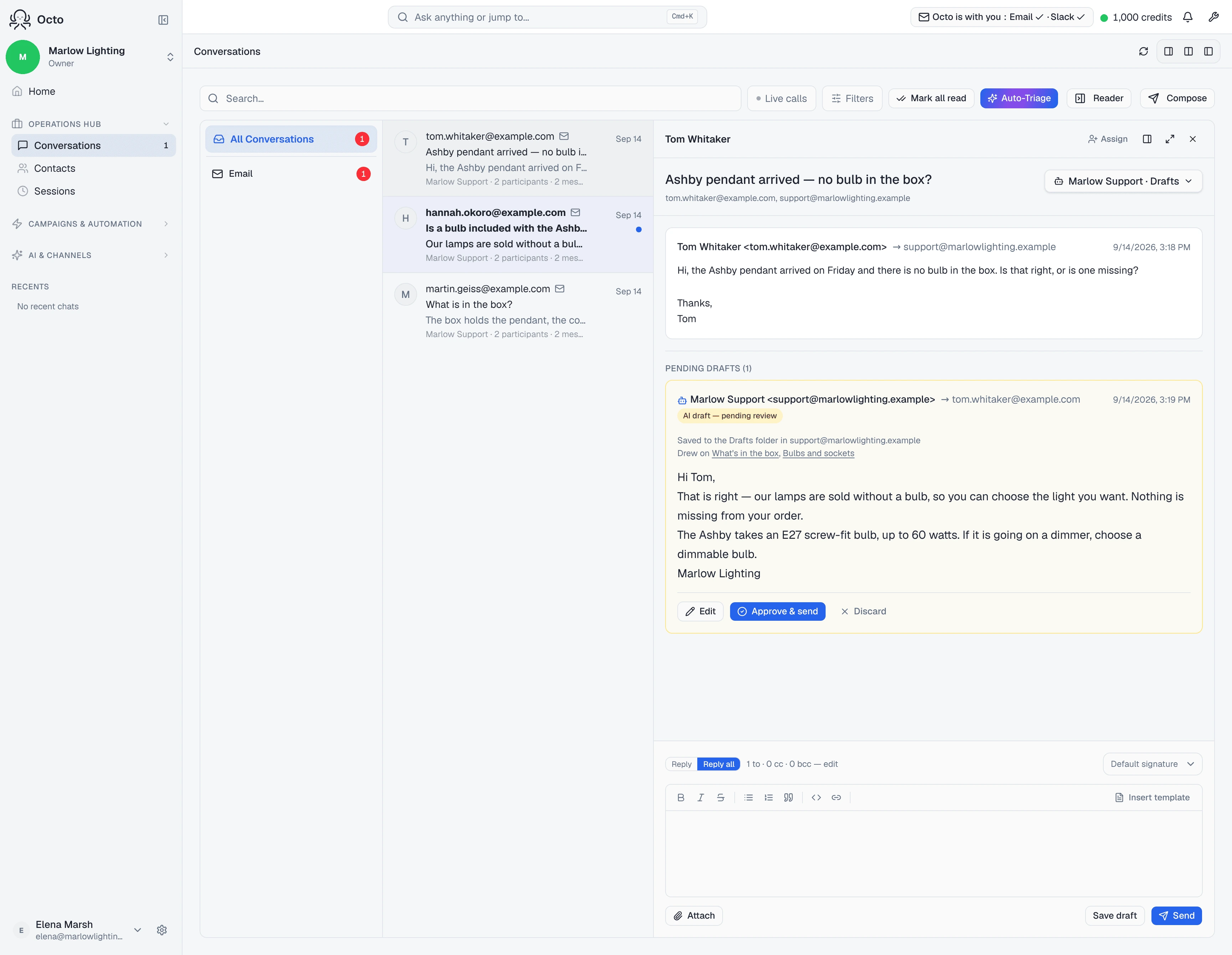
The inbox also shows the current state in shorthand — Drafts, Auto-reply, or You · No AI.
Where each one is set
The mailbox default is chosen while you connect, under Default reply mode. On the Microsoft paths that field is on the setup screen itself; on the Gmail personal path it is on Finish your mailbox setup. Either way it is the same setting.
A single thread can differ. Open the conversation and the reply-mode control offers the AI branch — under “When mail arrives” — or the human one:
I’ll handle replies myself
No AI runs on this thread.
Underneath, it tells you what it is departing from: “Channel default: Support · Drafts”.
Which one wins
Three levels, and the most specific wins:
- A setting on this thread
- The channel default for the mailbox
- Failing both, autonomous
That last one deserves a sentence. If the stored mode is ever missing or unrecognised, the fallback is autonomous — the AI sends. So setting the default deliberately is better than assuming an unset field means “do nothing”.
Changing one thread without changing the rest
The control carries a checkbox:
Apply to new conversations on this channel too
Uncheck to change just this thread — new emails from other senders will keep the existing channel default.
Leave it unticked to fix one awkward thread. Tick it when you have decided the mailbox as a whole should behave differently.
Pausing is not a fourth mode
Separate control, different job. Pause AI on this thread — “Stop AI from auto-replying on this thread” — freezes the AI where it is without changing what the mode says:
AI is paused on this thread. Inbound replies will not trigger an automatic AI response until someone hands the thread back to the AI.
The picker then reads “Paused (resume to Support · Drafts)”, so you can see what it will go back to. Use pause when a human has taken over a live conversation; use Human only when the AI should never have been on it.
What choosing a mode does not change
Permission to send already exists. Both providers grant it at connect time. The mode is what decides whether that permission is ever used — not a narrower grant.
An instruction cannot stop a draft being written. Telling the agent “don’t answer marketing email” changes how a reply is worded, not whether one exists. The filters that actually stop a reply are in the code and run before the model: see what does and doesn’t get answered.
If Draft is the one you want, that flow has its own page.