The setting most people want first, and the one worth starting on: the AI writes the reply, and a person decides whether it goes.
Set it during connection as Draft — I’ll review AI replies before they send, or on an existing mailbox from the inbox as Save drafts for me to review.
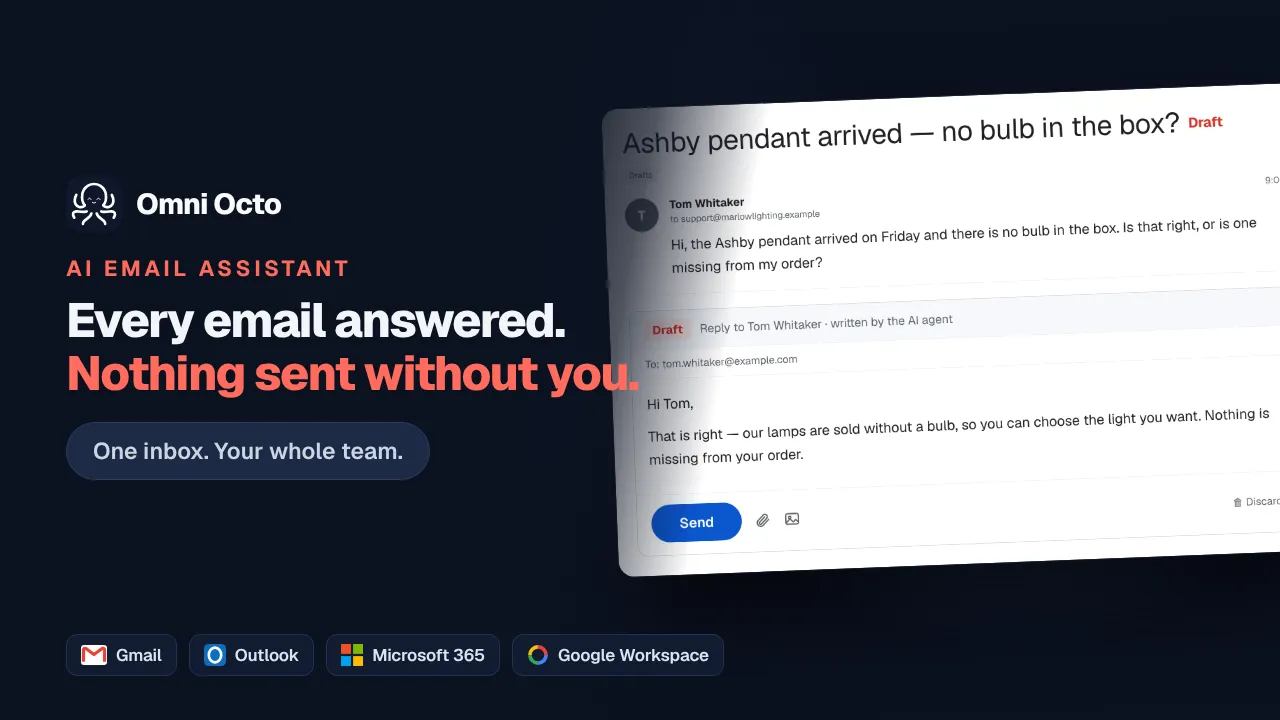
What happens when mail arrives
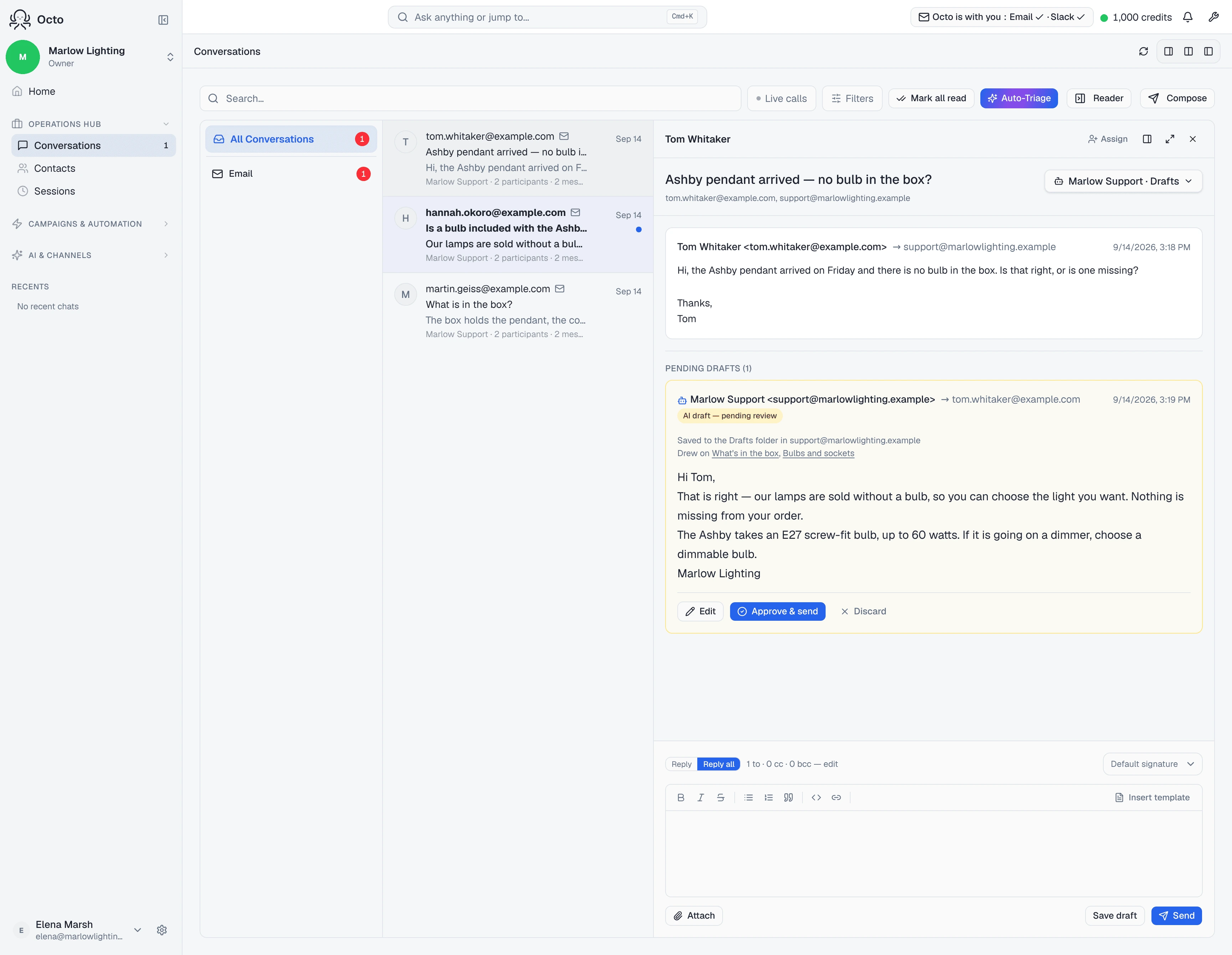
The message lands, the agent writes a reply, and nothing is sent. The draft is marked AI draft — pending review and the thread shows Needs review.
You find them in the conversation list under the Drafts filter, and the count is on screen as Pending drafts (3) — so “how much is waiting on me” is a number rather than a scroll.
Approving one
Open the thread and read it. Two buttons:
- Approve & send — sends it as it stands.
- Discard — throws it away, and the thread reports Draft discarded.
You can also edit before sending. Changes save as you type (Saving…, then Saved draft), so a half-finished correction is not lost if you get pulled away.
Read it before you approve it. That is the entire value of this mode, and it is the step that gets skipped once the drafts start looking good.
Where the draft actually lives
Two possibilities, and the dashboard tells you which one you have.
On most mailboxes the draft is written into the provider’s own Drafts folder:
Saved to the Drafts folder in support@contoso.com
That is genuinely useful on a shared mailbox — a colleague who has never opened this dashboard sees the pending reply in Outlook or Gmail, in the mailbox they already have open.
On a Microsoft 365 Group there is no such folder to write to, because Graph has no draft API for group conversations. Those say so instead:
Waiting here for review — this mailbox has no Drafts folder of its own
And if somebody deletes the provider copy out from under it, the dashboard does not pretend otherwise:
The copy in your Drafts folder was deleted — this is the one that’s left
What the draft tells you about itself
Every draft carries its own sourcing, so you are not guessing where a claim came from. When the agent used your knowledge base, the draft says Drew on and names what it read. When it did not:
Written from the thread — nothing in the knowledge base covered it
That line is the more useful of the two. A reply written only from the thread is the one to read hardest, because nothing in it was grounded in anything you wrote.
What draft mode will not do
It will not hold a reply the AI never wrote. Some mail is deliberately never
drafted — automated senders, no-reply addresses, a thread with no agent
assigned. That is a different silence with
its own explanation.
It does not stop you sending. You can always write and send a reply yourself from the same screen; draft mode governs the AI, not the humans.
It is not a per-topic filter. Draft mode applies to the whole mailbox, or to one thread you have overridden. There is no “draft the tricky ones and send the easy ones” setting — the judgement is yours, on each draft.