The Microsoft equivalent of the Gmail path, and just as short. One sign-in, one consent screen, no permissions to request from anybody.
This covers “any single-user Outlook mailbox you own — either a personal
@outlook.com / @hotmail.com or your Microsoft 365 work/school address
like you@your-company.com.” If the mailbox is one several people answer, you
want an Exchange shared mailbox
instead — that one does need an admin.
The screens
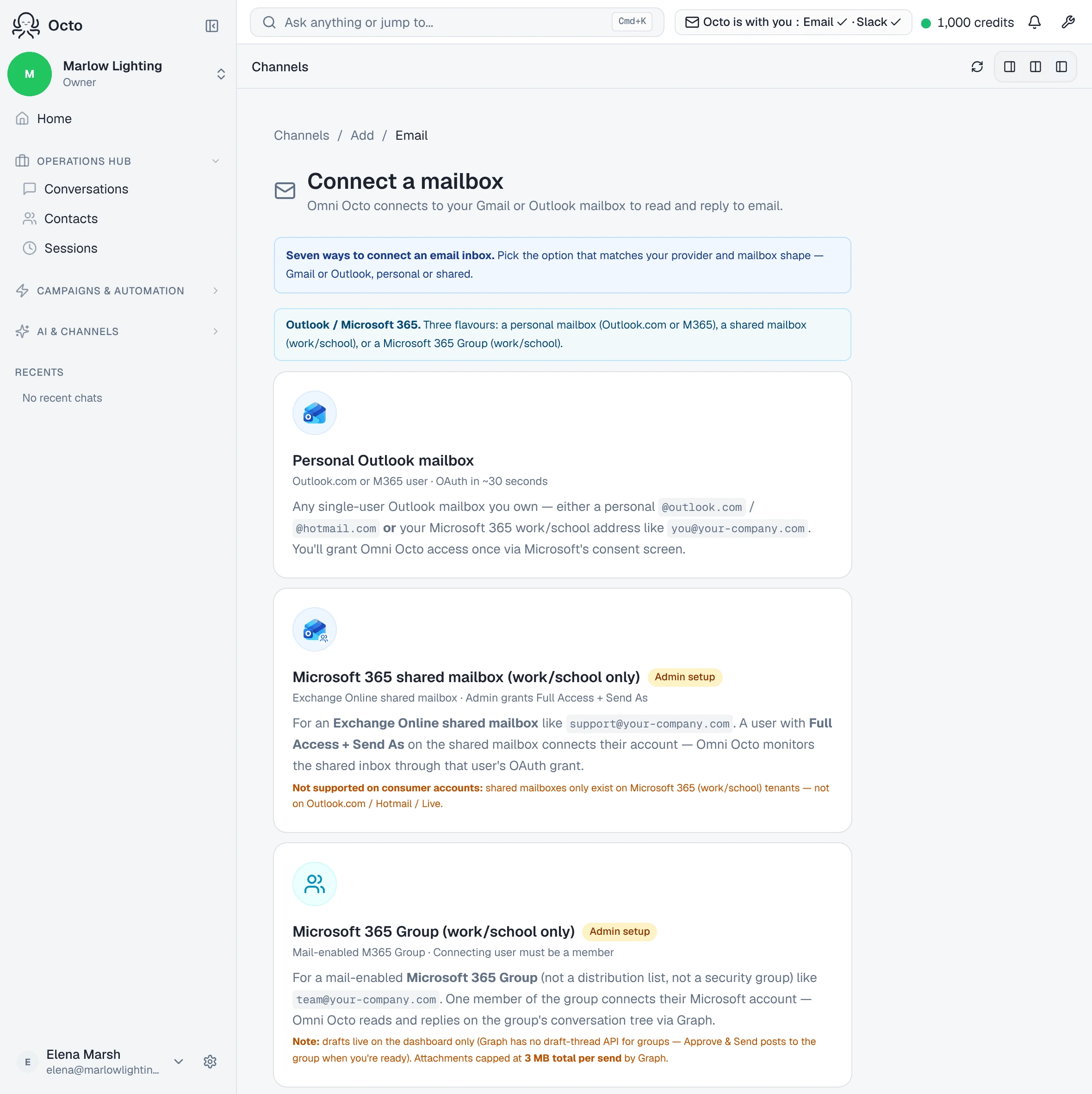
Channels → Add → Email → /channels/email/new → Connect a mailbox, then
the Microsoft side, where you are offered “Three flavours: a personal mailbox
(Outlook.com or M365), a shared mailbox (work/school), or a Microsoft 365
Group.” Take the personal one.
After Microsoft’s consent screen you land on Set up your Outlook mailbox:
We received Microsoft’s consent for your mailbox. Pick the agent that will reply, the default reply mode, and (optionally) a signature for outbound replies.
Then Verify mailbox setup — “Round-trip a test message to confirm inbound and outbound delivery.” — and you are finished. Microsoft connections have no separate configuration screen afterwards, because the setup step above already collected those fields.
What the consent screen asks for
Seven permissions. Microsoft grants them individually rather than as two broad scopes the way Google does, so the list is longer and each item is narrower.
| Scope | Why |
|---|---|
openid, profile, User.Read | Who you signed in as |
offline_access | Keeps the connection alive without asking you again |
Mail.ReadWrite | Read the mail, and write drafts |
Mail.Send | Send replies from the mailbox |
MailboxSettings.ReadWrite | Read the signature and automatic-reply settings |
Mail.Send is granted at connect time, before you have chosen whether anything
should send on its own. The reply mode is what governs that, not the permission.
A personal Outlook connection does not request Group.ReadWrite.All — that
belongs to the Microsoft 365 Group option.
Give it fifteen minutes before you diagnose anything
Worth knowing, because it produces a convincing false alarm:
Microsoft caches permission lookups for ~15 minutes — first send and first inbound may briefly act stale after the grant.
A first send that fails, or a first message that takes a while to appear, is often this and not a fault. Re-running the setup during that window diagnoses nothing and costs you the consent screen again.
When verification does not come back
The wizard names the Microsoft-specific cause rather than a generic one:
For Outlook this usually means the Graph subscription isn’t reachable — confirm the public origin is correct and that the webhook validation handshake is responding.
That is infrastructure on our side. It is not a permission you failed to grant.
What it will not do
It does not import your existing mail. The watch starts at connect; the mailbox’s history stays where it is.
A reply you send from Outlook yourself is not counted as answered. On Microsoft the sent-items subscription does deliver your message to us, but nothing marks the thread answered — the platform credits replies that went out through it. So a thread you have already dealt with from Outlook can still read as waiting here.