This is the path with an administrator in it. Budget for that: the technical work is a few minutes, and the wait is however long your Workspace super admin takes to answer.
First, make sure this is the one you want
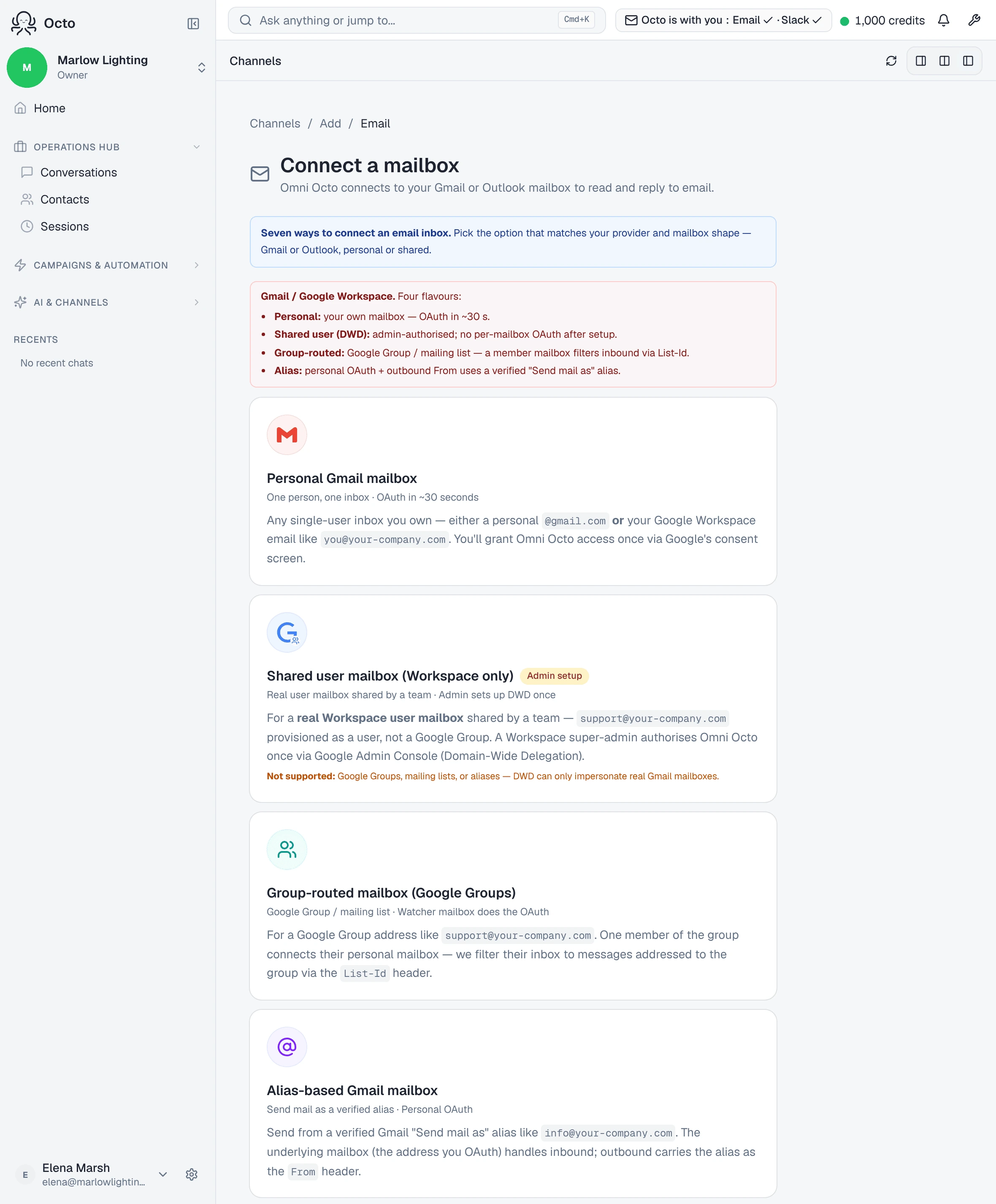
The wizard is specific about what this option is for:
For a real Workspace user mailbox shared by a team —
support@company.comprovisioned as a user, not a Google Group. A Workspace super-admin authorises Omni Octo once via Google Admin Console (Domain-Wide Delegation).
And equally specific about what it is not:
Not supported: Google Groups, mailing lists, or aliases — DWD can only impersonate real Gmail mailboxes.
That distinction decides your whole afternoon. If support@ was created as a
user in the admin console — it has a licence, it has a password, somebody
could sign into it — this is your guide. If it was created as a group that
forwards to people, you want
the Google Group path, which
needs no admin at all.
What Domain-Wide Delegation actually is
DWD is a Google Workspace feature, not something we invented, and it is worth understanding because it explains every other rule on this page.
Normally an app reaches a mailbox by asking its owner: you click through Google’s consent screen and grant access to your inbox. That does not work for a mailbox nobody personally owns, and it does not scale to a domain.
Domain-Wide Delegation is the other route. A super admin authorises the application once, for the whole domain, and from then on it can act as any user in that domain without a further consent screen. The product’s own description is a good one-liner:
Domain-Wide Delegation lets Omni Octo impersonate a Workspace user mailbox shared by the team.
Impersonate is the operative word, and three consequences fall straight out of it:
- Your admin grants it once, not per mailbox. That is the “no per-mailbox OAuth after setup” promise — the second and third shared mailbox connect with no consent screen at all.
- It can only reach things that are users. A Google Group is not a user account, and neither is an alias, so there is nothing to impersonate. That is the whole reason for the “not supported” line above, rather than an arbitrary restriction.
- It is a domain-level trust, so it needs a domain-level administrator. A regular admin cannot grant it; only a super admin can.
What the admin actually does
One grant, once, for the whole organisation — not per mailbox. The wizard hands you the instructions to pass on:
Hand these instructions to a Workspace super admin. They grant Omni Octo one-time permission to operate on shared mailboxes in your organisation.
The console link is gated the same way: “Open Google Admin Console (super admin required).” A regular admin will not do; Domain-Wide Delegation is a super-admin capability.
The upside of that one-time cost is the thing worth telling your admin:
Shared user (DWD): admin-authorised; no per-mailbox OAuth after setup.
Once the grant exists, every further shared mailbox in the domain connects without another consent screen.
Proving the grant landed
Rather than trusting that the admin did it, the wizard tests it:
Enter your workspace domain and an email address in that domain (usually your own admin address). We’ll impersonate it and try to list a single message.
One message, read once. When it works you get “DWD impersonation worked. Moving on to mailbox setup…” and the flow continues to the mailbox itself.
If it fails, the grant has not propagated or was entered with a different client id. That is an admin-console problem, not something to retry here repeatedly.
The one caveat you should know before choosing Draft
On this path specifically, the reply-mode picker labels draft mode differently:
Draft — humans review (M2 only)
with a note underneath:
Draft mode is wired but the dashboard review surface is M2-only.
Take it at face value. On a domain-wide-delegated shared mailbox, the drafting half works and the reviewing surface is not the same as on a personally authorised mailbox. If your reason for connecting is specifically “the AI writes, we approve”, connect a personal mailbox or an Exchange shared mailbox and get the full review loop, or run this one on Human only until you have seen the behaviour for yourself.
This is the kind of thing a guide should say plainly rather than let you discover after the admin request has already been made.
What it will not do
It does not import your existing mail. The watch starts at connect.
It cannot impersonate a group or an alias. DWD only reaches real mailboxes, which is the sentence the wizard leads with and the reason most “shared inbox” requests actually belong on a different page.
A reply a teammate sends from their own Gmail is not counted as answered — it went out through Gmail, not through the platform, so the thread can still read as waiting.