An agent with no knowledge answers email fluently and generically. Most disappointing first drafts are not a broken agent — they are a correctly working agent that has not been told anything.
Knowledge lives on the agent, not on the mailbox. Ground the agent once and every channel it answers gets the same material.
Where it goes
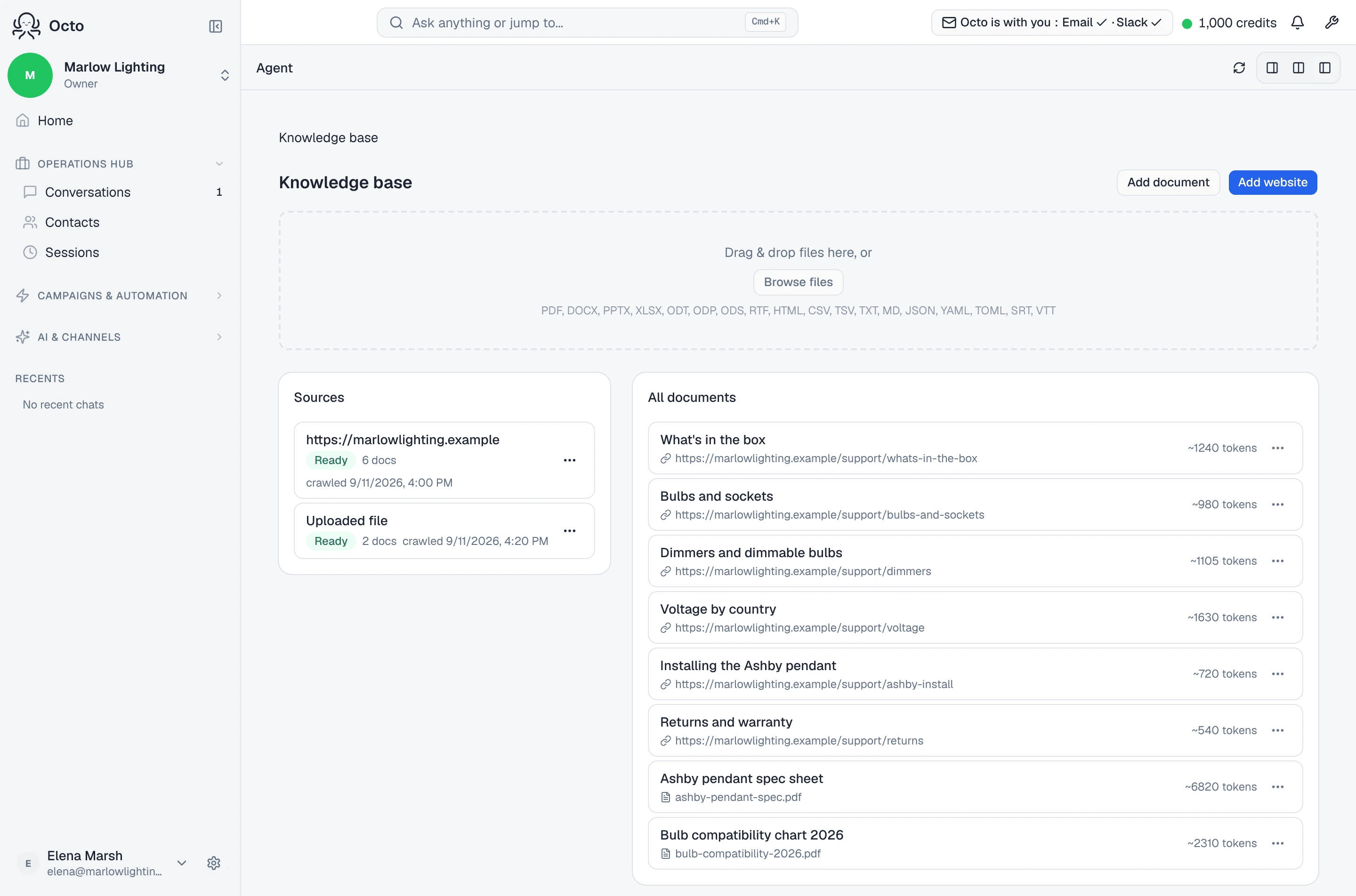
/agents/knowledge. If you have not made an agent yet, the page says so: “Create an agent first, then add knowledge to ground it.”
An empty knowledge base reads “No sources yet. Add a website or upload files to get started.” Three ways in:
- Add website — crawls the pages you point at. Each source keeps its own record, showing when it was last crawled and how many pages.
- Upload files — documents you already have.
- Paste content — for things that live in somebody’s head rather than in a file.
Write it so it can be found
The paste box carries the single most useful piece of advice on the page:
Write or paste markdown. Use # headings to split the doc into searchable sections — each heading becomes a separate chunk the agent can cite.
That is not a formatting preference. Retrieval works on chunks, so a wall of
text under one heading is one big chunk that matches poorly, while the same
content under # Refunds, # Shipping, # Opening hours is three precise ones.
Headings are how you control what gets found.
What a grounded reply looks like
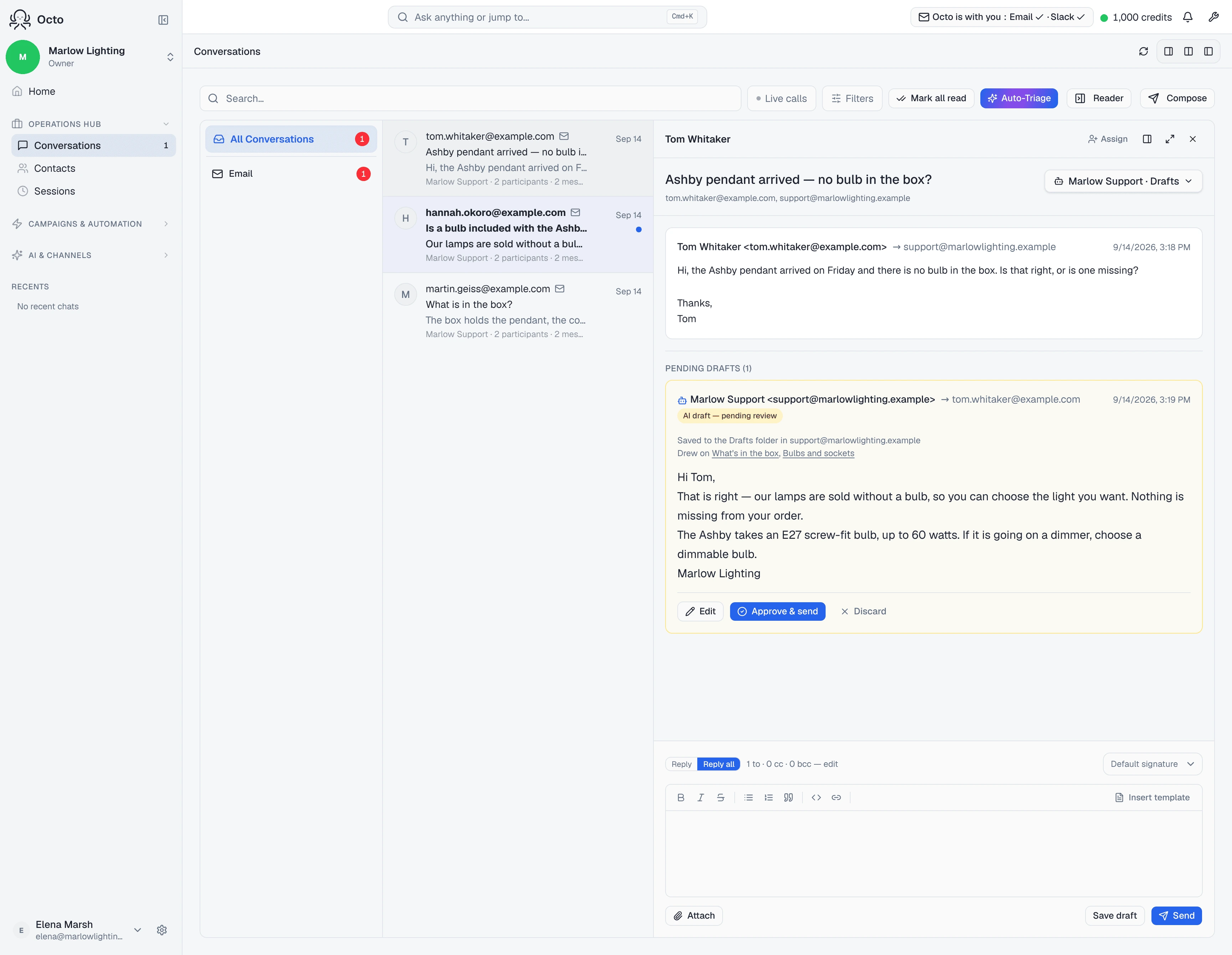
Every draft reports its own sourcing, so you never have to guess where a claim came from. A grounded one says Drew on and names what it read. An ungrounded one says:
Written from the thread — nothing in the knowledge base covered it
The second line is the more useful of the two. A reply written only from the thread is the one to read hardest, because nothing in it was checked against anything you wrote. Seeing it often on a particular topic is a direct instruction about what to add next.
Knowledge gaps on the same page collects that signal for you.
Keeping it true
A crawled site goes stale the moment the site changes. Re-crawl refreshes a source or a single page — “Re-crawling — pages will refresh here as they finish.” Prices, hours and policies are the ones that hurt when stale, because a confidently wrong answer about a price is worse than no answer.
Adding the same content twice is caught rather than duplicated: “That content is already in your knowledge base as ‘Refund policy’. No new document added.”
What it will not do
It will not read your whole knowledge base on every email. Past a certain size the page tells you exactly what changes:
Large knowledge base (~180,000 tokens). The full KB won’t fit in the agent’s context, so it answers by searching for relevant passages per question rather than seeing everything at once.
That is the normal mode for any real knowledge base, and it is another argument for headings — searching finds chunks, so the chunks have to be findable.
It is not per-mailbox. Knowledge is the agent’s. Two mailboxes answered by the same agent cannot have different knowledge; give them different agents if they need different material.
It does not make a draft send itself. Grounding changes what a reply says, not who approves it — that is the reply mode.