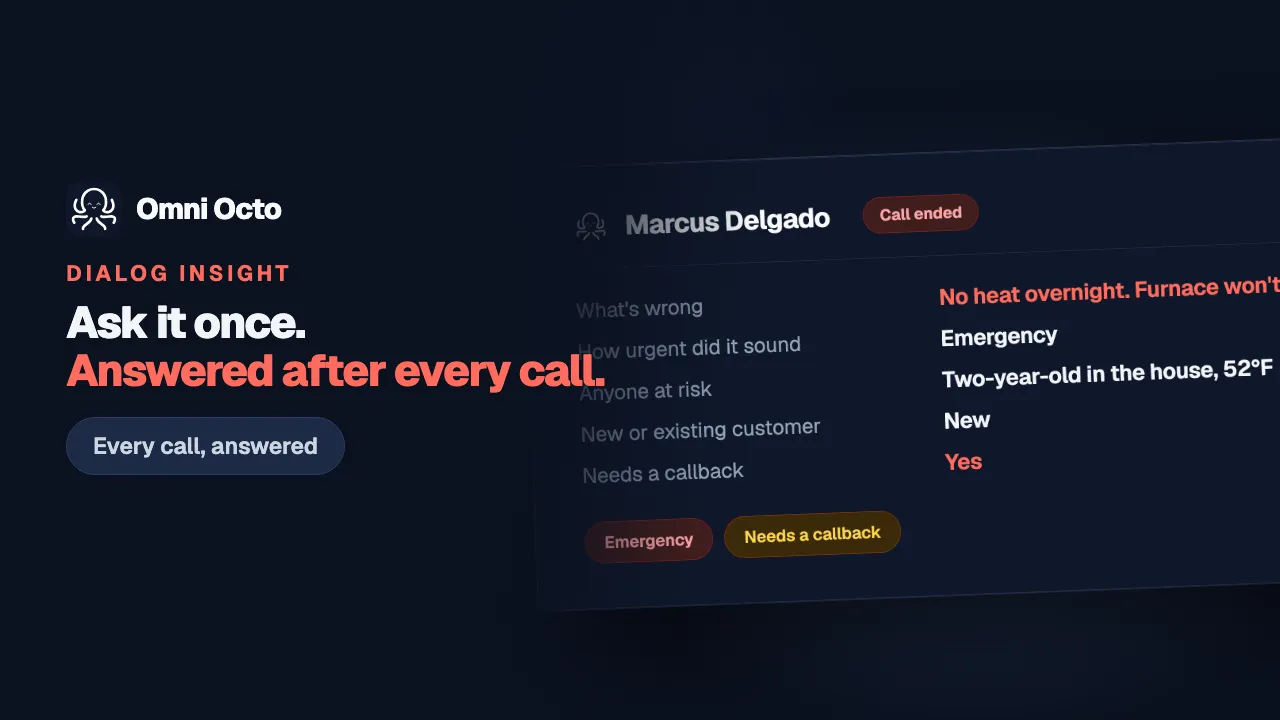
A Dialog Insight extracts fields from a conversation. Configuring one is where that starts. This is what happens once it has — finding the result, telling it apart from a person’s own edit, and fixing it when it is wrong.
Everything below happens on /conversations, the same inbox a phone call, a text, a WhatsApp thread and a webchat land in — and it looks identical on all of them. Nothing here is specific to one channel.
The marker on the row
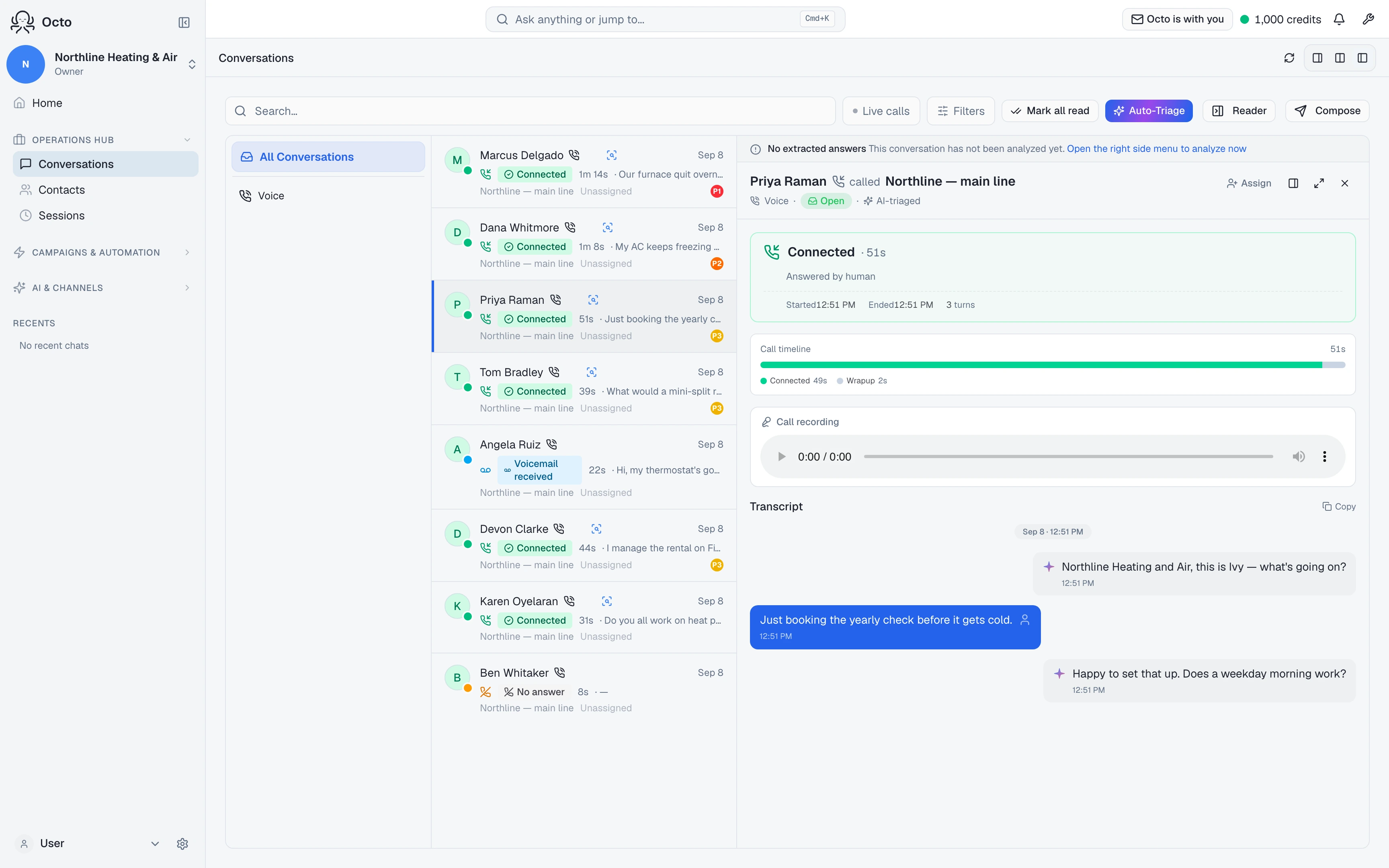
A conversation with an extracted result carries a small search icon on its row, next to any needs-review flag. Its tooltip says Show extracted answers.
Clicking it does two things a click anywhere else on the row does not: it opens the conversation, and it opens the details panel straight to the result — rather than selecting the conversation and leaving you to go find the panel yourself.
The first time a conversation gets a result, the detail page also says so once, in words — “Your agent captured 4 answers from this conversation.”, “They live in the details panel.” — with a Show me link. After that it is the row marker’s job.
When it runs, and which Insight
Nothing is pressed for this to happen. The moment a conversation ends, the Insight attached to it runs on its own.
Which one that is follows a fixed order, not a guess: the agent’s own default — unless this conversation was dispatched by a voice campaign that picked its own Insight, in which case the campaign’s choice wins over the agent’s. A voice campaign that didn’t pick one falls back to the agent’s default, same as any other conversation.
That resolution is fixed once the conversation ends; the run picker below is how you see what a different Insight would have found without changing what’s actually attached.
When, by channel:
- Voice — the moment the call ends.
- Any channel, if someone closes the conversation explicitly — right then.
- Website chat — about 3 to 4 minutes after the visitor leaves the page. Closing the tab, or leaving the agent’s test page, counts as leaving; a visitor who comes back before then simply carries on.
- A WhatsApp or other messaging conversation left open with no explicit close — after 30 minutes with no new message.
- The backstop, on every channel — a sweep runs every 30 minutes and catches whatever the paths above missed (an event dropped by a restart at the wrong moment, most commonly). If a result is not there the moment a conversation ends, that is not broken; if it is still missing half an hour later, that is worth a look.
When there is nothing to see yet
Above the conversation header, in the same band that flags a conversation needing review, three different situations get three different messages — never a blank space:
- Nothing is configured. “This agent has no Dialog Insight configured.” with a Configure it now link straight to the agent’s setup.
- Nothing has run yet. “This conversation has not been analyzed yet.” with Open the right side menu to analyze now, which opens the sidebar and runs it.
- It ran and found nothing. “The last run finished without extracting any answers.” — a real outcome, not a failure to display: the conversation may simply never have said anything the fields ask for.
One case is deliberately not distinguished from “nothing has run yet”: a voice campaign can override the agent’s own Dialog Insight (see above), and that override lives in the campaign’s settings, not anywhere the browser can see. So a voice-campaign conversation never says “not configured” even when nothing is attached — it says “not analysed yet”, because that is the honest claim, and “Analyze now” is what actually tells you which is true.
The sidebar card
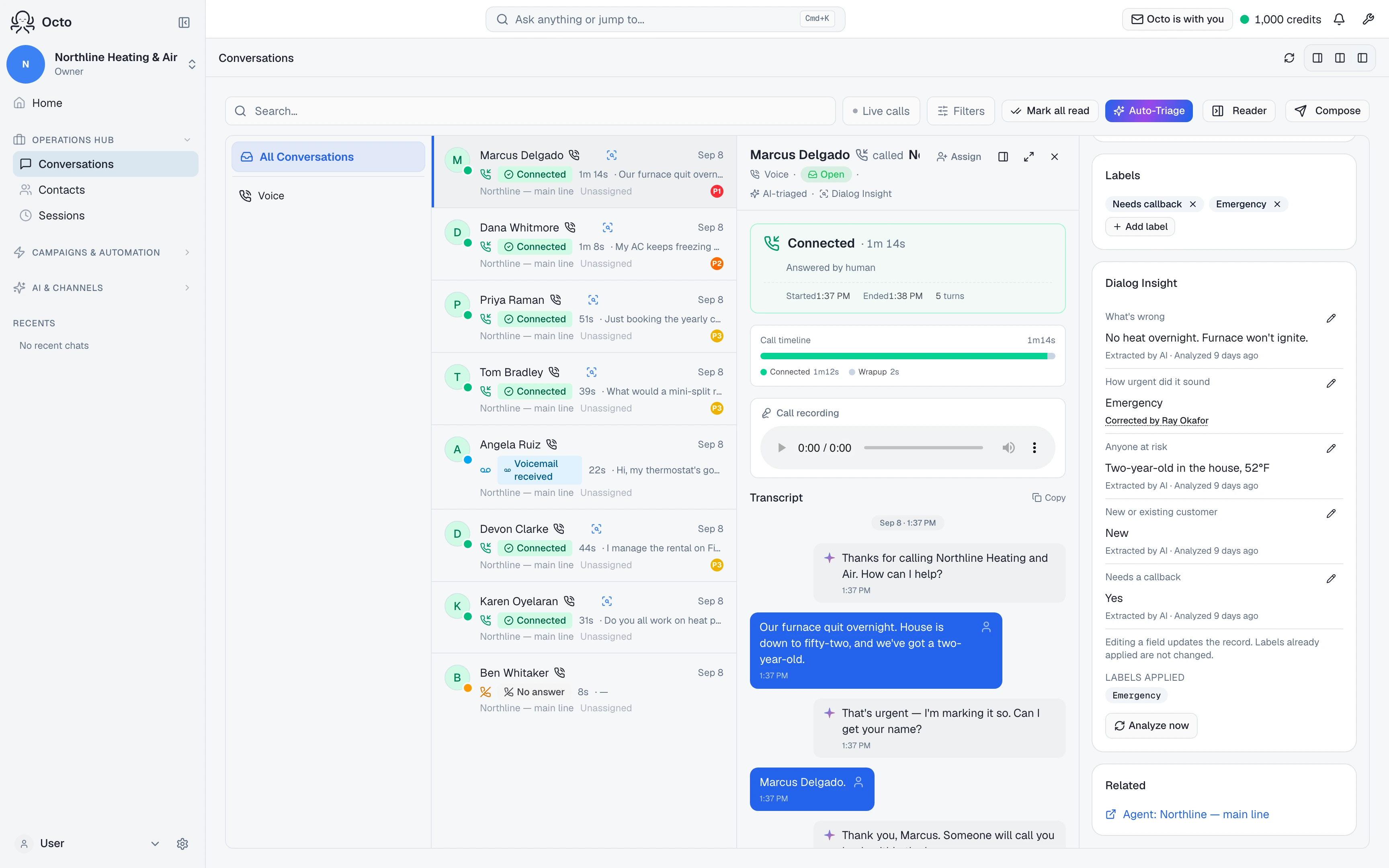
Open the details panel and the same result — or the same honest absence of one — is a full card, titled Dialog Insight:
- Nothing attached — “No Dialog Insight attached to this agent”, with an Attach a Dialog Insight link.
- Attached, never run — “Not analysed yet. It runs when this conversation ends or goes idle.”
- The run failed or was skipped — the actual recorded reason, not a generic error. A model timeout, a missing transcript, and a paused workspace budget are three different sentences here, because they need three different responses from you.
- Success — every field, the labels this Insight produced, and “Analyzed 3 minutes ago”.
- Stale — the conversation kept going after the last analysis: “Updated 12 minutes ago · re-analyzing when this conversation goes idle.”
The card never renders empty. If you attached something and see nothing, that is a bug worth reporting — not the product waiting on you to guess.
Running a different Insight, just this once
Next to Analyze now is a picker labelled Insight to run, defaulting to whichever one is actually attached. Choosing a different one and running it does not change what the agent or campaign has attached — it runs that Insight against this one conversation only, and says so: “Runs on this conversation only — nothing is attached to the agent.”
That is what makes trying a different set of fields safe: the next real conversation still resolves the normal way, agent default or campaign override, exactly as if you had never touched the picker.
Correcting a value
Every field has a pencil to edit it. Save a correction and the field’s provenance line changes from “Extracted by AI” to “Corrected by” your name — and the AI’s original value is not thrown away; it stays reachable from that same marker, so a wrong guess is never quietly replaced with no record it happened.
One thing a correction deliberately does not do: change a label already applied. The card says this once, plainly: “Editing a field updates the record. Labels already applied are not changed.” If the AI extracted “Routine” and applied that label, and you correct the field to “Emergency” afterward, the record now reads “Emergency” — the label does not retroactively flip with it. A label is what already ran a workflow: an email that already sent, an escalation that already fired. Re-deriving it from a correction would fire that a second time against a conversation that already had its turn. Fixing the label itself is a separate action, in the label picker you already use for that.