This walks through connecting Instagram and building your first automation. It takes about five minutes, and most of that is Instagram’s authorisation screen rather than anything on our side.
Before starting, check the two things Instagram requires — a Professional account and one message-access toggle. Both are covered in what Instagram requires, and skipping them is the reason most first attempts silently do nothing.
Connecting your account
Go to Channels → New → Instagram, then choose Continue with Instagram.
A window opens on Instagram’s own site asking you to authorise access. This is Instagram’s screen, not ours — you are logging in to Instagram directly, and your password never passes through us. Approve it, and the window closes by itself.
You will see the account name confirmed as Instagram — @yourhandle. That is
the connection done.
Two things worth knowing at this point:
No Facebook Page is involved. If you have set up Instagram automation before and remember creating a Page, linking it to Business Manager, and assigning roles — none of that applies here. We connect to Instagram directly.
Comment access is set up for you. Receiving comment notifications requires a subscription on Instagram’s side, which we register during connection. There is nothing for you to configure.
Building the automation
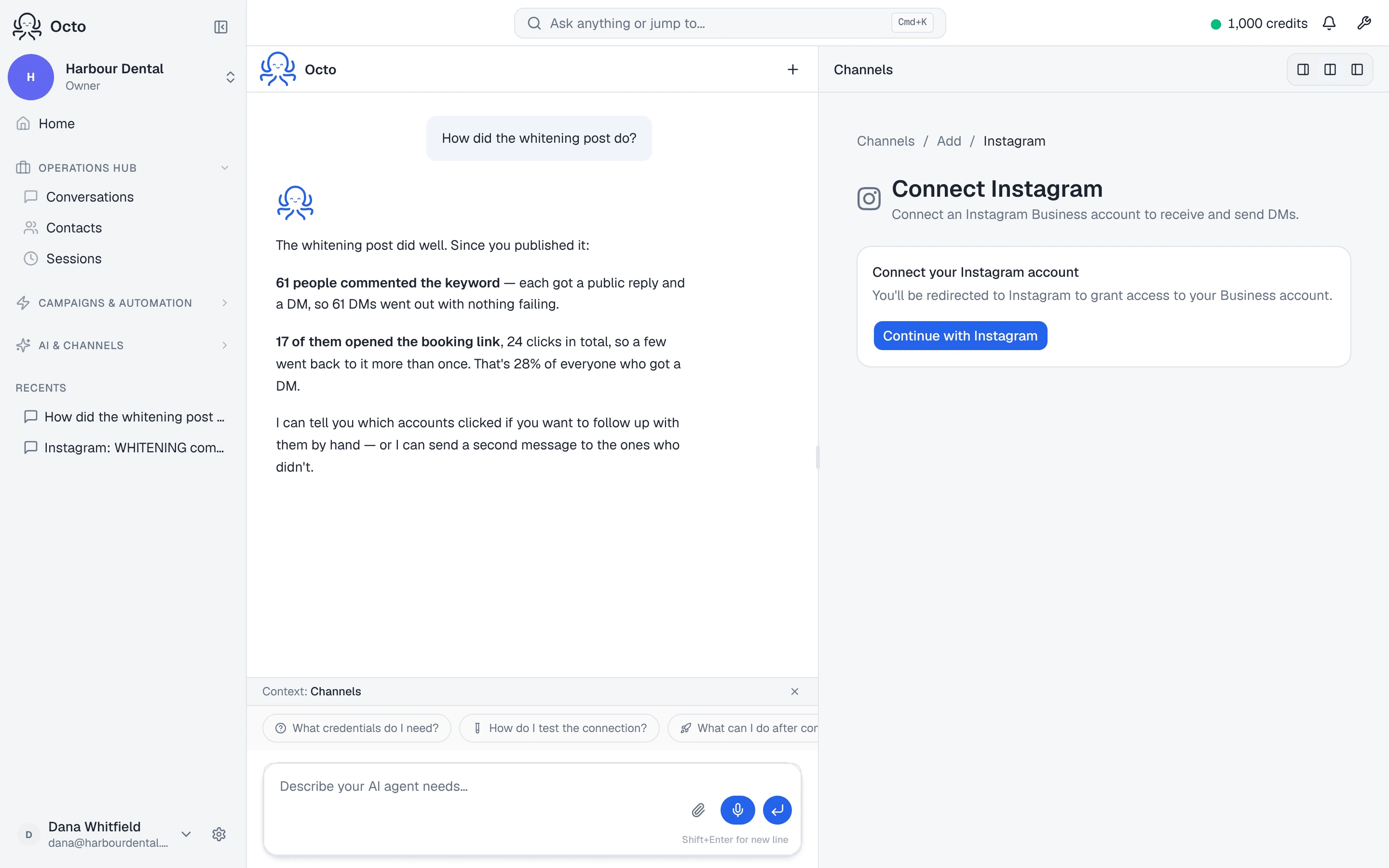
Here the flow diverges from what you may expect. There is no canvas of nodes to wire together. You describe what you want in plain English, and Octo builds it.
Go to Automations → Instagram. You will see a set of examples — sending a guide when someone comments, collecting contact details, gating a link behind a follow. Each one is a sentence you can copy and change.
A first automation usually reads something like:
When someone comments PEPTIDE on any of my posts, reply publicly saying I have sent them a DM, then send them a DM with a button. When they tap it, send them my booking link.
Send that to Octo. It will ask about anything genuinely ambiguous — which posts, what the public reply should say — and then build the automation, which you can review before it goes live.
You are describing an outcome, not assembling a machine. If the result is not quite right, say what you want changed in the same conversation.
What to put in that first sentence
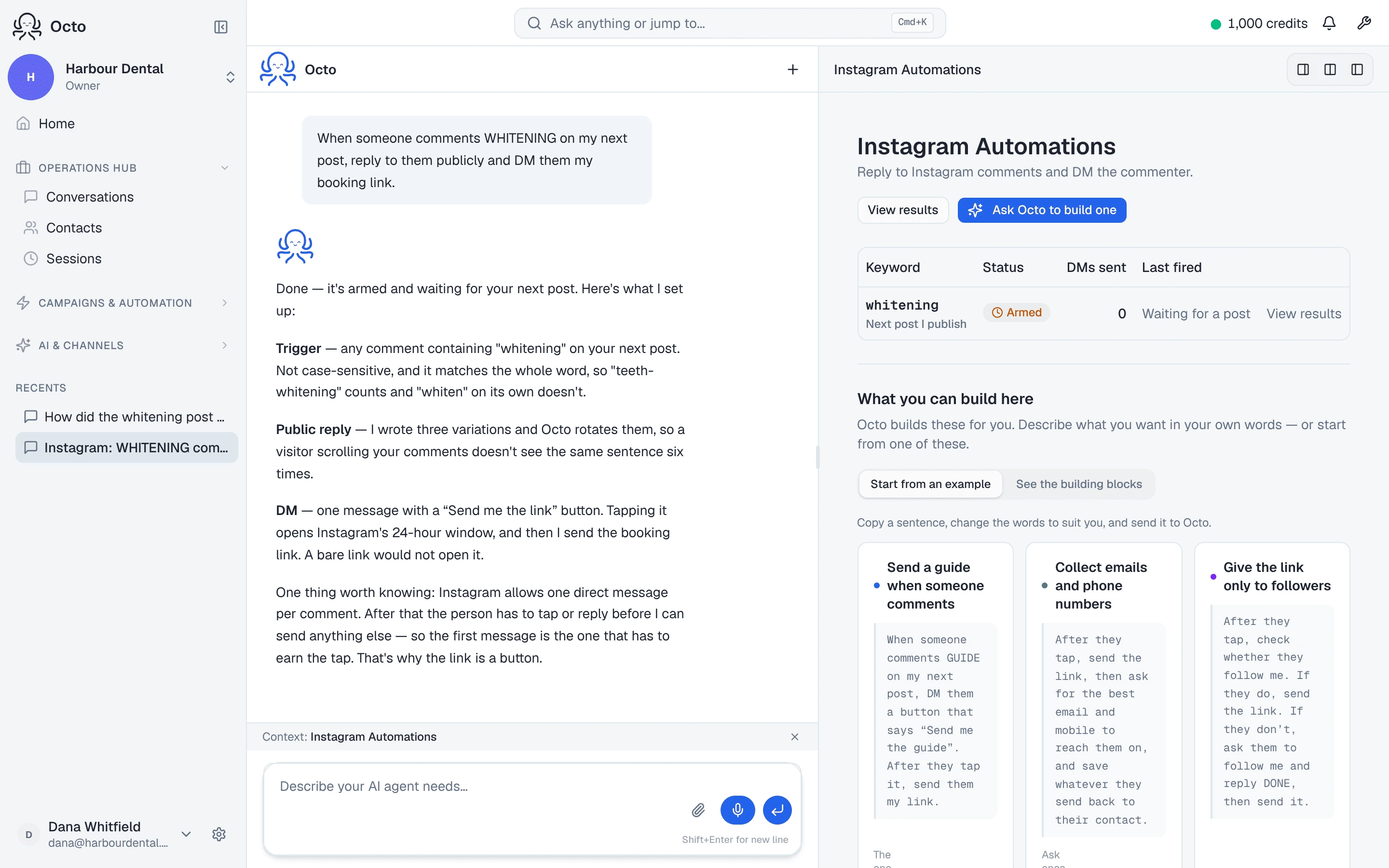
Four things determine the behaviour, and it helps to be deliberate about each:
The keyword. One word, distinctive, easy to type on a phone. Avoid words
that appear in normal conversation about your post — if you sell coffee,
“COFFEE” will fire on people simply discussing coffee. Made-up or
instruction-shaped words work better: GUIDE, PEPTIDE, SEND ME.
Which posts. One specific post, every post, or the next post you publish. “Next post” is useful when you are about to publish something and want the automation waiting for it.
The public reply. What everyone else reading the comments sees. Keep it short and give a few variations — identical replies under every comment look automated to readers and to Instagram’s spam systems alike.
The DM, and what it asks for. This is the part worth thinking hardest about, because Instagram gives you exactly one, and the button on it decides whether the conversation can continue at all.
The one mistake worth avoiding
If your DM’s only call to action is a link button, tapping it does not let you message the person again. The link opens, and the conversation ends there.
Make the DM’s button a reply-style button — “Send me the guide”, “Reply CONSULT” — and send the link after they tap. Same two messages, and the difference is whether you can follow up at all.
This is a platform rule rather than a product limitation, and it catches almost everyone once. It is explained properly in the rules that actually bind.
Testing it
Comment your keyword on the post yourself, from a different account.
Use a different account, and if you test twice, use a different post. Most tools — ours included — will not send the same person two DMs from the same post, which is correct behaviour that looks exactly like a bug when you are the one testing.
Give it up to a minute or two. There is a deliberate short random delay before the public reply, because an account that answers every comment in under a second looks automated to Instagram’s spam detection.
If nothing arrives, work through why your automation stopped working — starting with the message-access toggle, which is the cause more often than everything else combined.
After it works
Two things are worth doing once the basic flow is running.
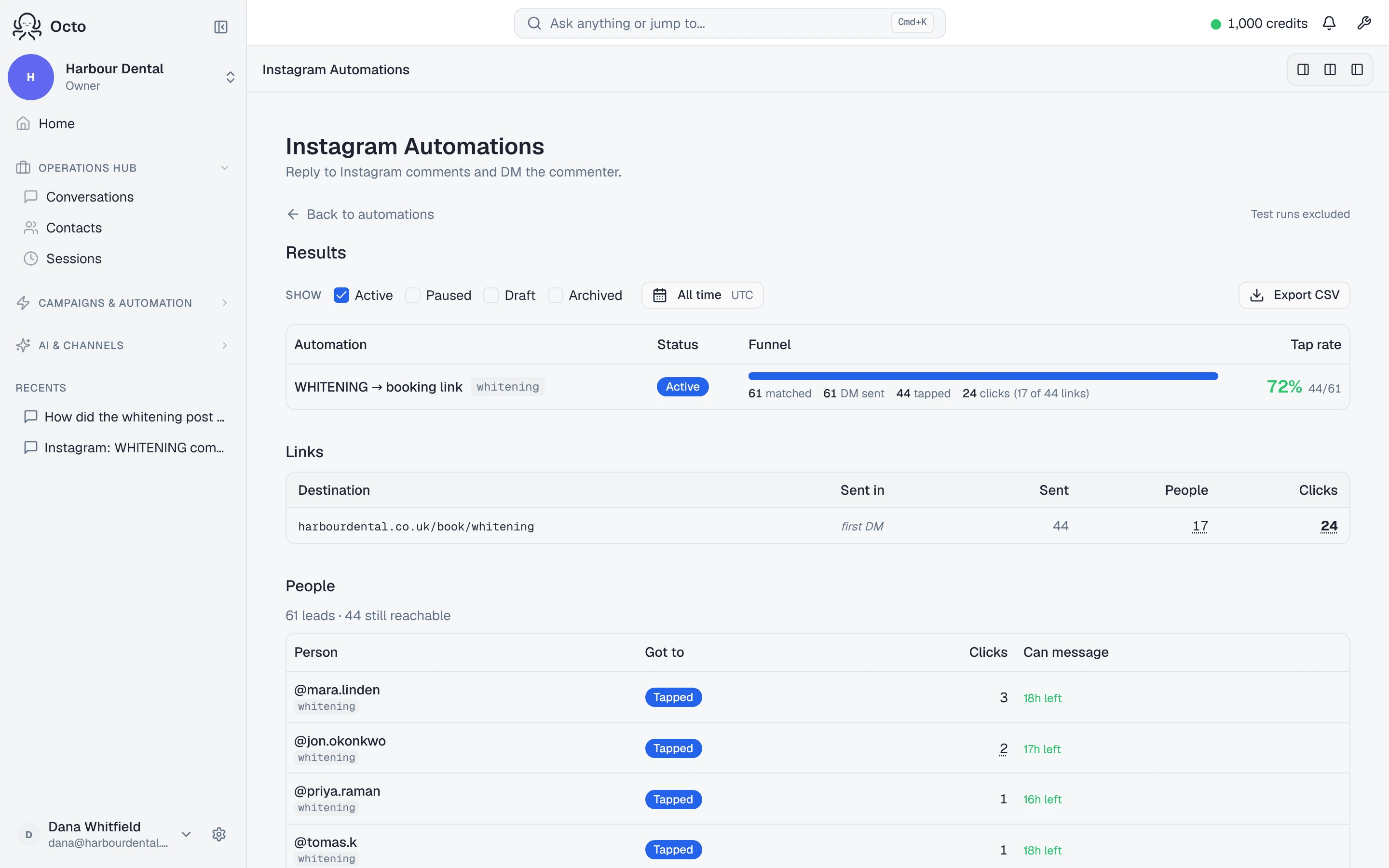
Watch the results, not the sends. Comments matched, DMs delivered, how many people tapped, what they clicked. A high match count with few taps usually means the DM is asking for the wrong thing.
Decide what happens when someone replies with a question. Your automated sequence ends after a few messages, but the conversation often does not. That is where the actual lead is, and it is covered in what happens after the DM.