It writes the reply. You press send.
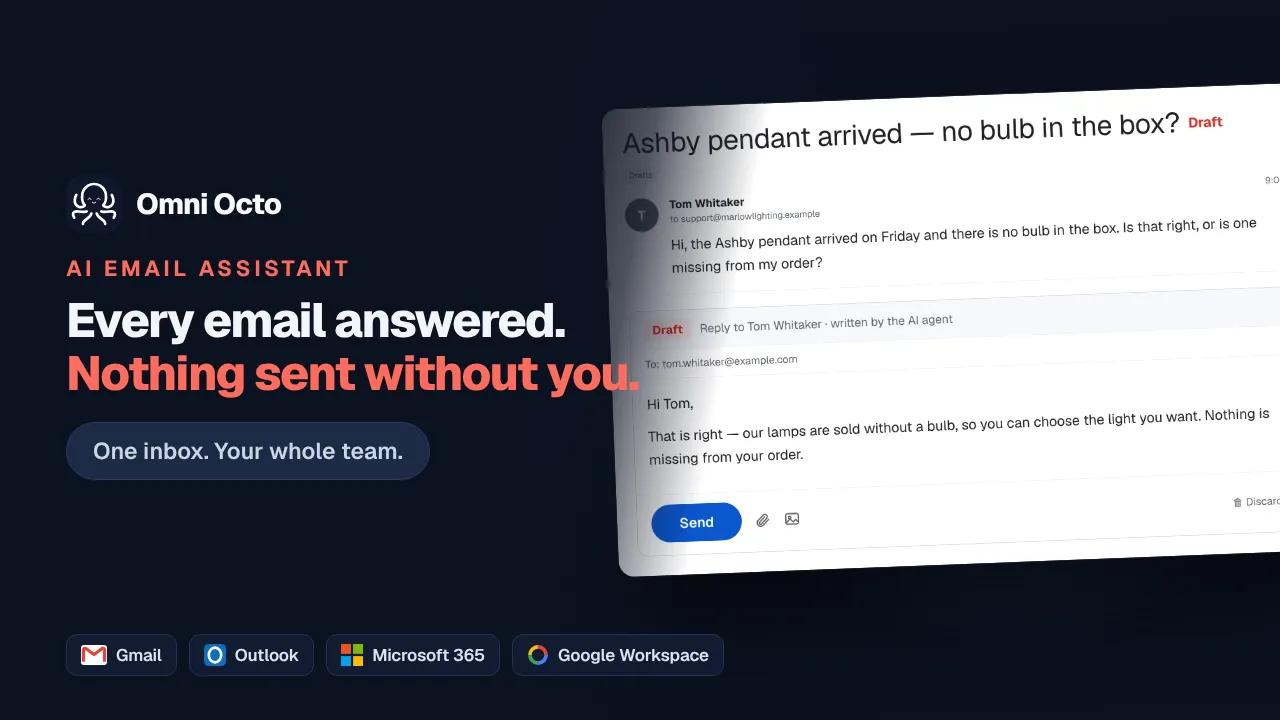
Draft mode has the AI compose the answer to a customer email and save it as a draft in your own Gmail or Outlook Drafts folder, where you edit it, approve it, or discard it. Nothing reaches a customer until a person approves it, and approving the same draft twice cannot send it twice.
Drafting draws on your plan's included credits. Discarded drafts are the cost of finding out whether you trust it — which is the point of the mode.
Or just ask for it
Ask for the draft. Approve it anywhere.
It’s a real draft, so your phone’s mail app already has it.
Inbox7 drafts waiting
Draft a reply to Kepler about the invoice. Firm but not rude.
In your Drafts folder — written through Gmail’s own drafts API, so it’s on your phone too. Approving updates that same draft and sends it, so there’s no orphan copy left behind.
@Octo draft answers for everything in the queue, I’ll go through them tonight
On it 🔧(runningdraft_email_reply…)
Nine drafted, each with the right mailbox signature. Nothing sent. (edited)
🙏 2✅ 12 replies · last reply 11m ago
discard the one to the recruiter, that’s spam
Email octo@agent.omniocto.com · WhatsApp 1-MAN-ASK-OCTO · Slack #omniocto
Recorded walkthrough
Three and a half minutes, end to end
Where the draft lives
In your Drafts folder. Not in another tool's review queue.
This is the whole difference. A reply waiting in a vendor's dashboard is one more thing to check. A reply waiting in Gmail is where you already look, on the phone you already carry, with the send button you already trust.
Hi Dana,
Sorry to hear about the tooth — that sounds miserable. We keep same-week slots for exactly this, and I've flagged your message for the front desk to call you back this morning on the number you gave us.
If the pain gets worse overnight, please call us directly rather than waiting for the callback.
Harbour Dental
This is the mailbox you already have open. Edit it, send it, or delete it — approving sends the version on your screen, recipients and attachments included, in a single step.
How you'd hand it over
Three steps, and you keep the send button.
Connect the mailbox in draft mode
Nothing can send on day one.
Connect Gmail or Outlook and set the channel's default to draft. From that moment the AI is writing, and nothing it writes can leave without you.
Read a week of drafts
Edit the ones that need it. Notice the ones that don't.
This is the real trial. You are not evaluating a demo, you are reading the answers it would have sent to your actual customers, and correcting them costs a sentence.
Loosen it thread by thread
Let the boring mail answer itself.
When a category of mail stops needing edits, let those threads run autonomously and keep the rest in draft. The setting is per thread, so it is a dial rather than a leap.
Why it holds up
The approval is the safety, so the approval is built carefully.
A real provider draft, and it is consumed on send
The draft is created through Gmail's and Outlook's own drafts APIs, and approving updates that same draft and sends it — so the Drafts folder is left clean instead of accumulating one orphan per approval.
native drafts · updated then sent · no orphansDouble-send-proof
Approval only works while the message is still a draft. Once it has gone, that door is closed — a second click, a stale tab or a retried request cannot produce a second email to your customer.
approve accepted once · edits ride in the same callA colleague replying from Gmail is not invisible
The sent folder is watched alongside the inbox, so a reply typed straight into Gmail lands on the thread here too. The shared inbox shows what the customer actually received, and the AI is not left answering a settled question.
sent-folder sync · two-way thread statePer thread, not just per mailbox
Draft is a default, not a cage. A single thread can be pushed to autonomous or pulled back to human-only without touching the mailbox setting, and the thread's own choice always wins.
thread override > channel defaultOr approve from the shared inbox
If you'd rather work in one place, the same draft is in the shared inbox next to your WhatsApp, SMS, chat and call threads, with Edit, Approve & send and Discard on it.
same draft · either surfaceQuestions
The things people actually ask.
- Where exactly does the draft appear?
- In the Drafts folder of the mailbox itself — a real Gmail draft or a real Outlook draft. Open the Gmail app on your phone and it is sitting there like any draft you started yourself. You can also work from the shared inbox here; both are looking at the same draft.
- Can I edit it before it goes?
- Yes, and the edit is what gets sent. Change the wording, add a cc, drop an attachment in — approving hands the final version over in one step rather than saving and then sending, so there is no window where an older version can slip out.
- What if I click approve twice?
- The second click does nothing. Approval is only accepted while the message is still a draft; once it has been sent it is no longer in that state, so a stray second click, a duplicate tab or a flaky connection cannot send the same reply twice.
- What if I delete the draft in Gmail instead?
- Deleting it is a discard: nothing is sent. Approving is a separate act — if you delete the draft in Gmail and then approve from here anyway, the reply still goes, from the content that was stored. Neither action fails silently on you.
- A colleague answered it from Gmail before I got there. What happens?
- Their reply syncs back onto the thread here, because the sent folder is watched as well as the inbox. The thread shows the answer that actually went to the customer, and the agent is not left drafting a reply to a question that has already been handled.
- Can some threads send by themselves while others wait for me?
- Yes. Draft mode is a default you set on the mailbox, and any individual thread can override it in either direction. Most people leave a mailbox in draft mode and let a handful of routine threads run autonomously — or the reverse, with one difficult customer pinned to human-only.
Keep reading
Related jobs you can hand over.
Drafting draws on your plan's included credits. Discarded drafts are the cost of finding out whether you trust it — which is the point of the mode.