Your support@ address, with an AI reading it.
Connecting a Gmail shared inbox to AI means authorising Omni Octo to read and reply in a Google mailbox you already have — a personal account, a Workspace account, a shared mailbox, a Google Group, or a send-as alias. Nothing is migrated and no forwarding rule is added: your team keeps using Gmail, and the AI works in the same threads.
You keep the Google account you already pay for. Replies and drafts draw on your plan's included credits.
Or just ask for it
Connect the mailbox by asking for it.
support@, a Group, an alias — say which and it walks you through it.
Inboxsupport@ connected
Connect support@ — it’s a shared mailbox, nobody signs into it.
Connected by your Workspace admin against that one address. Nothing was migrated and no forwarding rule was added — your team keeps using Gmail and I work the same threads. Replies go out as support@, not as you.
@Octo which mailboxes are we connected to?
On it 🔧(runninglist_email_channels…)
Three: support@ (shared), bookings@ (Group), and Dana’s Workspace account. All healthy. (edited)
✅ 21 reply · last reply 22m ago
add accounts@ as well
Email octo@agent.omniocto.com · WhatsApp 1-MAN-ASK-OCTO · Slack #omniocto
Recorded walkthrough
Three and a half minutes, end to end
Find yours
Five shapes of Gmail. Pick the one you actually have.
Most guides assume a plain account with a password. Real support inboxes are usually one of the other four, which is where every "connect your email" flow falls apart.
Personal Gmail
One @gmail.com account, connected by signing in. The starting point for a lot of small businesses, and it is not treated as a lesser case.
harbourdental@gmail.comGoogle Workspace account
Your own domain, connected by the person who owns the mailbox. Same flow as personal, different domain.
dana@harbourdental.comShared mailbox (domain-wide delegation)
The support@ nobody signs into. A Workspace admin grants access to that specific mailbox from the admin console — there is a customer-facing walkthrough for the admin who has to click through it.
support@harbourdental.comGoogle Group
The address that fans out to three people. Group mail is recognised from the List-Id header Google stamps on delivery, so the AI works the Group's mail and leaves the watcher's personal mail alone.
frontdesk@harbourdental.comSend-as alias
Mail arrives at one address and must be answered from another. The alias is honoured on the way out, so the customer sees the address they wrote to.
reply from: bookings@harbourdental.comHow you'd hand it over
Connect, choose the distance, read what it writes.
Connect
Sign in, or have an admin authorise the mailbox.
A personal or Workspace account is a sign-in. A shared mailbox is an admin authorising that one address. Either way the mailbox stays exactly where it is.
Choose the distance
Sending, drafting, or staying out.
Set the mailbox default to autonomous, draft-for-approval or human-only. Any thread can override it later, so this is a starting position rather than a commitment.
Work where you already work
Gmail, or the shared inbox. Both are live.
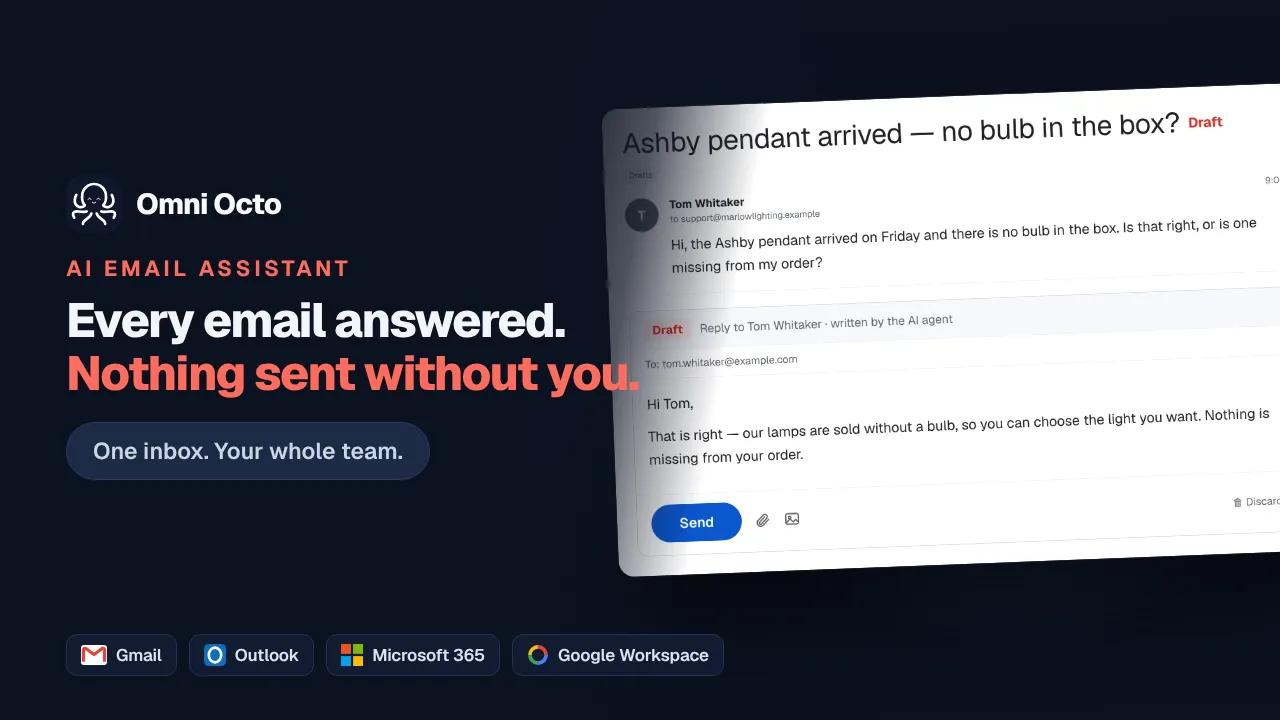
Drafts appear in the Gmail Drafts folder. Replies your colleagues send from Gmail sync back. Nobody has to change how they answer mail for this to start working.
What it does once connected
It behaves like a colleague with access, not a robot with a forwarding rule.
Same mailbox, same threads, same Gmail. Some of them just already have an answer waiting.
- Dana Whitfield Chipped tooth — can I be seen this week? I am in a lot of pain Draft ready 8:42p
- Marcus Reid Opening hours — are you open on Saturday mornings? Answered 7:15p
- billing@northvale March statement — there is a discrepancy on line 4 we need to discuss For you 4:02p
- Priya Raman Re: Appointment moved — thank you, that works perfectly Answered 2:20p
Nothing was moved, forwarded or copied. Answered threads were sent from this address; drafts are in this account's Drafts folder; the invoice query was left for a person on purpose.
Your team's own replies come back
The sent folder is watched as well as the inbox. When someone answers a customer straight from Gmail, that reply appears on the thread here and the AI stops working on it.
inbox + sent folder watchedThe connection is kept alive on purpose
Google's mailbox watch expires on a fixed schedule, so it is renewed ahead of time rather than allowed to lapse quietly. A revoked authorisation raises a prompt to reconnect instead of a mailbox that simply stops producing mail.
watch renewal · reauthorisation promptsGmail threads sit with everything else
The same shared inbox holds your WhatsApp, SMS, web chat and phone calls, with one assignment model, one set of labels and one search across the lot.
one inbox · one history per customerQuestions
The things people actually ask.
- Which kind of Gmail do I have?
- If your address ends in @gmail.com it is a personal account. If it ends in your own domain it is Google Workspace — and then it is either a mailbox someone signs into, a shared mailbox nobody signs into, or a Google Group that forwards to several people. All four connect, plus send-as aliases on top of any of them.
- Nobody can sign in to support@ — it has no password. Can it still connect?
- Yes, that is the domain-wide delegation path. A Workspace admin authorises access to that specific mailbox from the admin console, so no one needs to know a password that does not exist. There is a step-by-step walkthrough written for the admin doing it.
- We use a Google Group, not a mailbox. Does that work?
- Yes. Group mail is identified from the List-Id header Google stamps on delivery, with the recipient headers as a fallback for older Group configurations — so mail addressed to the Group is picked up and the watcher's own personal mail is left alone.
- Will replies come from support@ or from my personal address?
- From whichever address the customer wrote to. Send-as aliases are honoured, so a thread that arrived at support@ is answered from support@ even when the underlying connection is a person's account.
- What happens if the connection quietly breaks?
- Gmail's watch on a mailbox expires on a schedule, so it is renewed automatically ahead of expiry rather than left to lapse. If Google actually revokes access — a password change, a policy change — you get a reauthorisation prompt instead of silence.
- Do I have to move off Gmail?
- No. Nothing is migrated, no forwarding rule is added, and your team keeps using Gmail exactly as they do now. Replies your colleagues type in Gmail sync back here, and drafts written here appear in the Gmail Drafts folder.
Keep reading
Related jobs you can hand over.
You keep the Google account you already pay for. Replies and drafts draw on your plan's included credits.