A quiet bot has one of two problems, and they look different:
- Messages do not arrive. The customer’s message never appears in /conversations. Something between Telegram and Omni Octo is broken.
- Messages arrive, and nobody replies. The message is in the thread, and no answer follows. Something decided the agent should not answer.
Send your bot a message from your own Telegram, then open /conversations, and you know which one you have.
Messages do not arrive
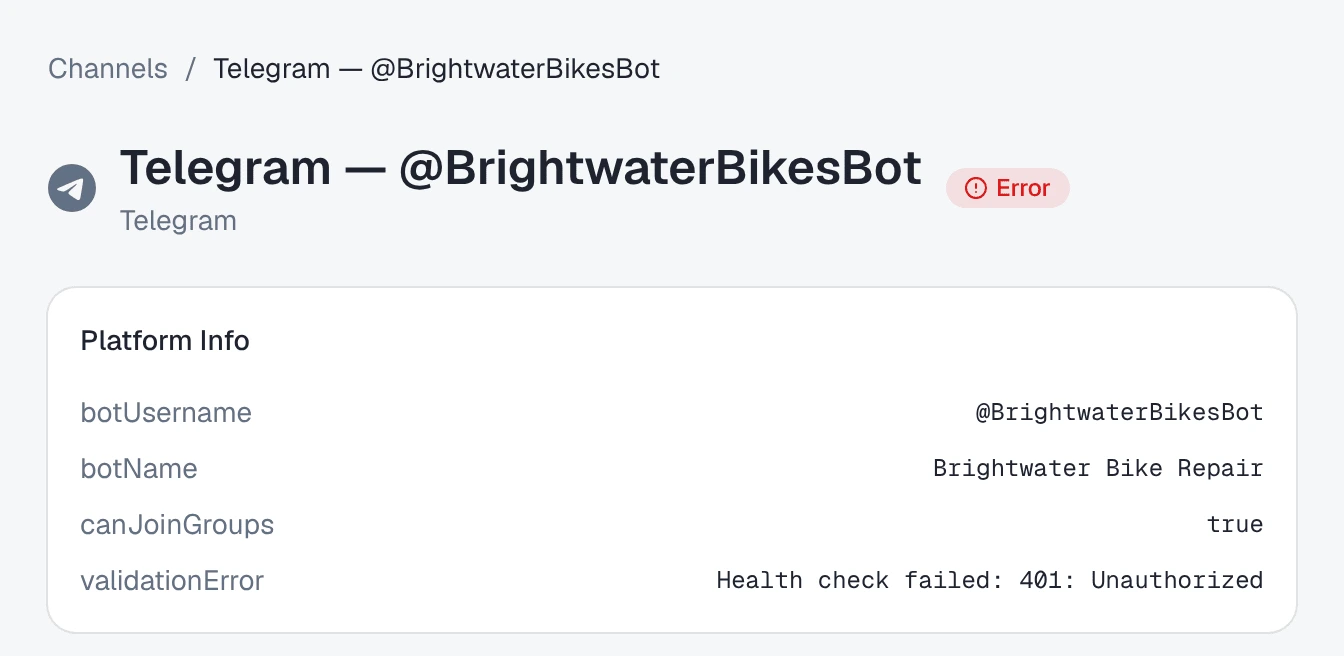
Open the channel under /channels and look at its status first.
| What you see | Cause | Fix |
|---|---|---|
Status Error, and Platform Info shows a validationError | The last check failed: the reason is written there | Fix what it says, then press Validate. Connect your Telegram bot explains each reason. |
| Status Active, but you revoked or changed the token in BotFather | Omni Octo is not told when a token is revoked; it finds out at the next check | Update Credentials, paste the new token, Save & Validate. |
| Status Active, and the bot was also set up in another tool | Telegram sends a bot’s messages to one place only. The other tool took them | Stop using the bot there, then Update Credentials, paste the same token, and Save & Validate. That points the bot back at Omni Octo. |
| Status Pending | The token was saved and never checked | Validate. |
| The customer edited their message | Edits are not delivered as new messages | Nothing to fix: the original message is the one that arrived. |
| The message was sent in a group | Telegram shows a bot only some group messages by default | See groups. |
Update Credentials with the same token is also the fix for a bot that was connected before Omni Octo started registering bots on Connect & Validate, if it has never received a message: it runs both steps again.
Messages arrive, and nobody replies
Open the conversation.
| What you see | Cause | Fix |
|---|---|---|
| ”No AI agent replies here. Take over to answer.” | No agent is on the bot | Put one on — put an agent on your bot. |
| Status Needs human, with “Someone on your team took over this chat, so the AI is paused here.” | A teammate took over the chat | Answer it, or press Return to AI now. |
| No banner, no reply, on every conversation | The agent is switched off, or the workspace is paused for billing | Switch the agent back on from its page; check billing under settings. |
| The reply is there in the thread, marked failed | Telegram refused to deliver it — for example, the customer blocked the bot | Nothing on your side; the customer has to unblock the bot. |
Things that look like a problem and are not
- The agent waited a few seconds before answering a photo. It waits until nothing new has arrived for 5 seconds, so it can answer an album and its question together — photos, voice notes and files.
- A file shows ”… not available”. It was over 16 MB, or could not be downloaded from Telegram. The message itself arrived, and the agent was told a file could not be loaded.
- A conversation starts with
/start. That is what Telegram sends when a customer presses Start. It arrives as the customer’s first message, and the agent answers it like any other. To have it answered with a greeting, say so in the agent’s instructions.
Where to go next
- Connect your Telegram bot — every status and validation message.
- Put an agent on your bot — who answers, and what pauses the agent.
- Hand a conversation back to the AI — when a teammate’s takeover is why the AI is quiet.