Three things. The third is not a setting you configure — it is a fact about your mailbox that you need to know before you start, because it decides whether this takes five minutes or waits on somebody else.
A mailbox on Gmail or Outlook
Those are the two providers. Channels → Add → Email, at
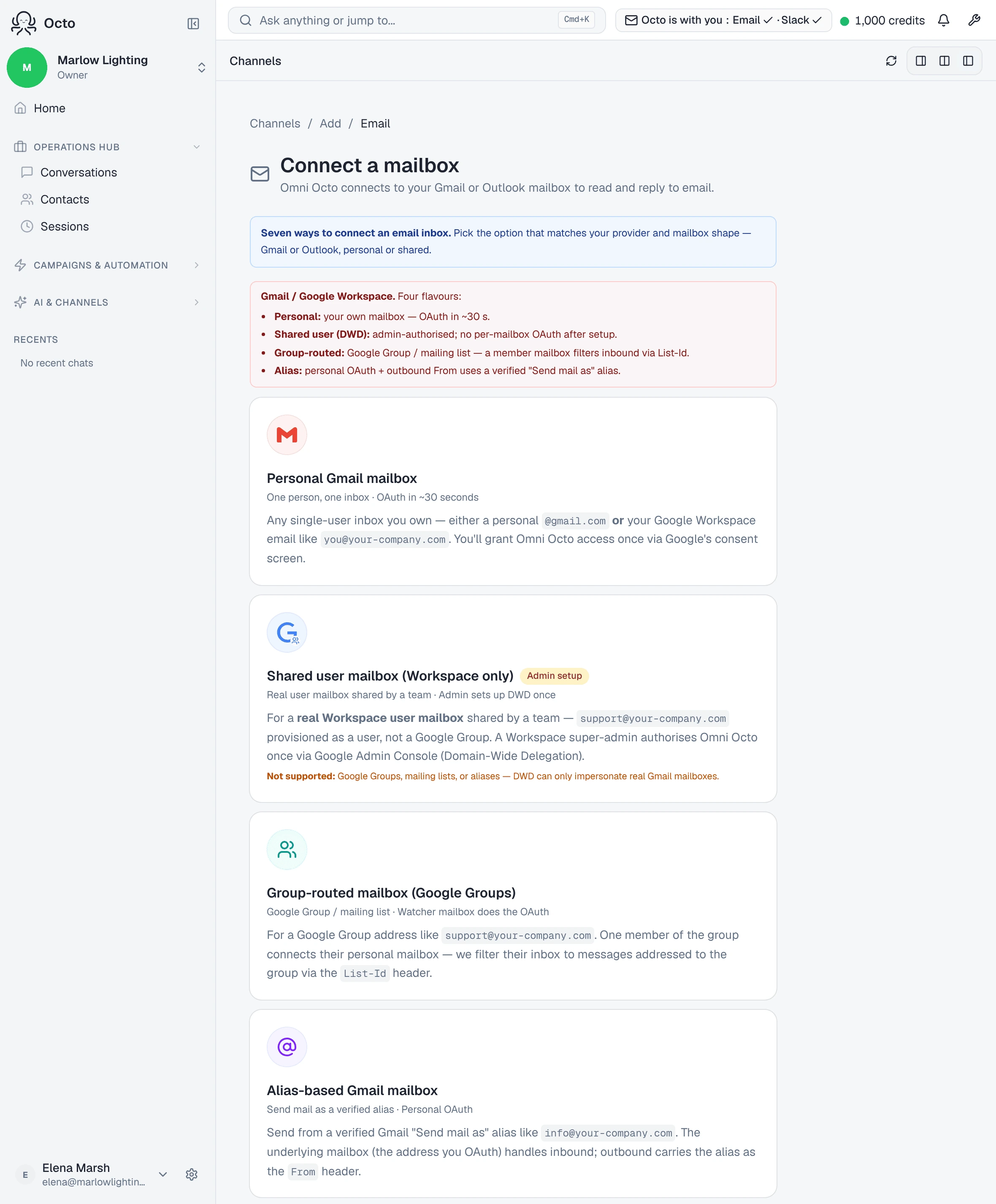
/channels/email/new, opens with Connect a mailbox — “Omni Octo connects
to your Gmail or Outlook mailbox to read and reply to email.”
Both consumer and work accounts are supported on both sides. A personal
@gmail.com and a Google Workspace address take the same path; an
@outlook.com and a Microsoft 365 work address take the same path as each
other.
An agent to answer it
The mailbox is the pipe; the agent is the thing that writes. Without one, the setup screen says so plainly:
No agents in this workspace yet — create one first, or set the mode to “Human only”.
That escape hatch is real. Human only connects the mailbox, shows you the mail, and runs no AI at all — a legitimate way to start if you want the inbox on the dashboard before you decide anything about automation.
Knowing which of seven shapes you have
This is the one that catches people. The picker says it out loud:
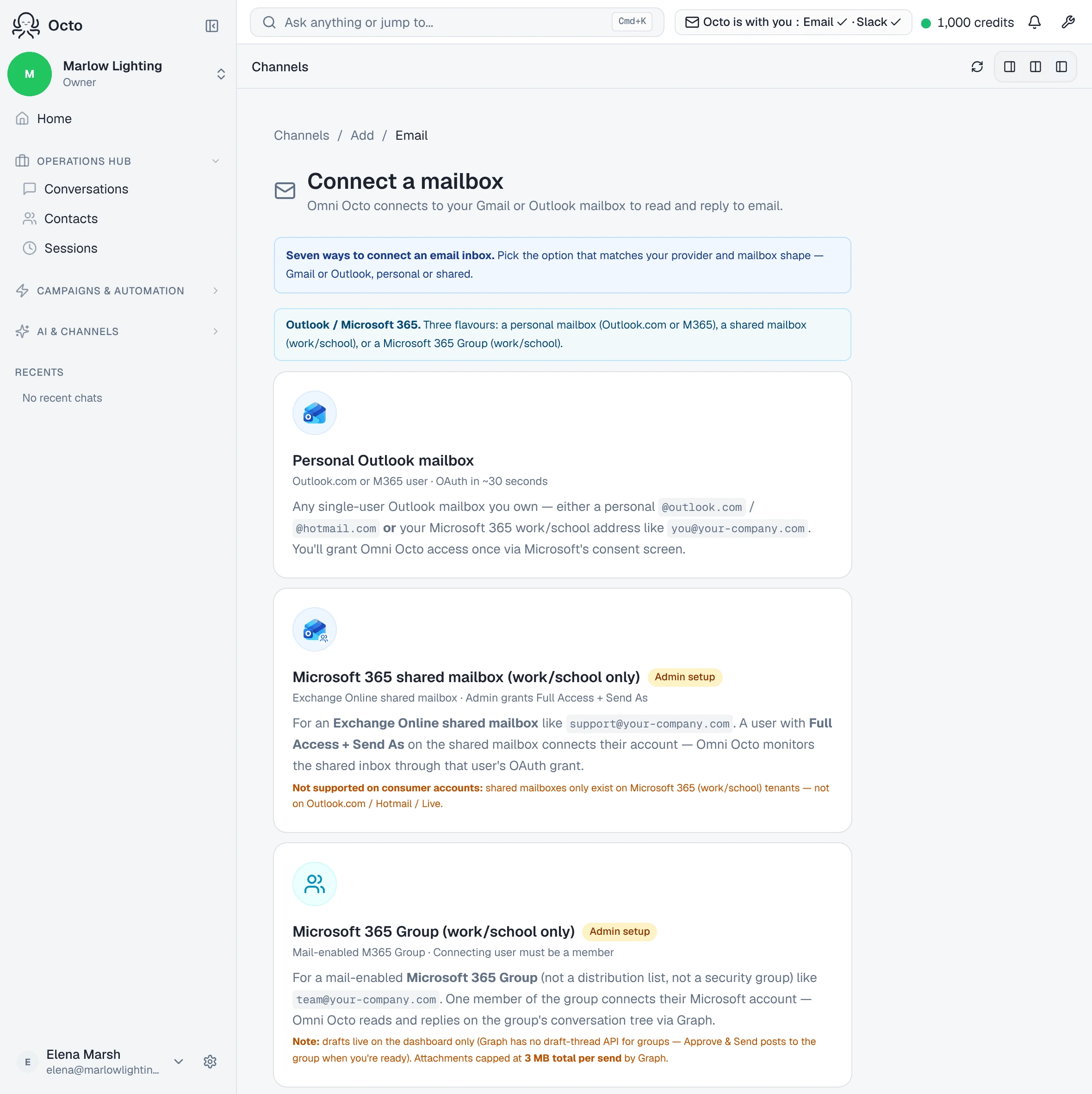
Seven ways to connect an email inbox. Pick the option that matches your provider and mailbox shape — Gmail or Outlook, personal or shared.
Four on the Gmail side, three on the Microsoft side. They are not interchangeable, and the difference that matters most is the last column.
| The mailbox you have | Which option | Needs an admin? |
|---|---|---|
| Your own inbox, Gmail or Workspace | Personal Gmail mailbox | No |
| A real Workspace user mailbox your team shares | Shared user mailbox (Workspace) | Yes — a super admin, once |
A Google Group like support@ | Group-routed mailbox | No |
| Sending as a verified “Send mail as” alias | Alias-based Gmail mailbox | No |
| Your own Outlook or Microsoft 365 inbox | Personal Outlook mailbox | No |
| An Exchange shared mailbox | Microsoft 365 shared mailbox | Yes — Full Access + Send As |
| A mail-enabled Microsoft 365 Group | Microsoft 365 Group | Yes — two grants in Exchange |
If you are not sure which you have, the useful question is not technical: does this address have its own password that somebody signs in with? A mailbox with its own login is a personal or shared user mailbox. An address that simply forwards to several people is a group.
What connecting actually grants
Both providers grant permission to send at connect time, not later. That is worth knowing before you see the consent screen, because it looks alarming if you were expecting read-only.
What stops a reply going out is the reply mode you pick during setup, not the absence of permission. Draft mode holds everything for approval.
What it will not do
It does not import your existing mail. Connecting starts a watch on new messages. Nothing from before the connection appears, and no amount of waiting changes that — the history stays in the mailbox where it already is.
So connect the mailbox before the week you want it covering, not after.