Ten minutes end to end, most of it deciding what the agent should say. This assumes you have a number and an agent.
There are two ways in. Describing what you want is the fast one, and it is what this page follows; every screen it touches is also editable by hand afterwards.
Describing the job
Tell Octo what you want, in a sentence, the way you would brief a new receptionist:
Answer our main line. Take the caller’s name and what they need, and if it sounds urgent, mark it so we can call them back.
Octo works through intake, design, configuration, generation and creation, telling you which part it is on. What it is doing in those steps is writing the system prompt, choosing a persona and greeting, pulling your website into a knowledge base if you gave it one, and picking a model and a voice — decided rather than asked about.
You will be asked two or three questions. They are the ones that cannot be inferred.
The one thing it will not guess
Where you are. Octo asks for a city or a region, and it will not skip the question or fill it with a default.
This looks like bureaucracy and is not. Any agent can be asked a date question — “can you call me next Wednesday?”, “what time do you open tomorrow?”, “is it too late to book?” — and an agent with no timezone runs its clock on UTC. It resolves “tomorrow” against the wrong day, and it can greet someone at nine in the morning as though it were the middle of the night. There is no kind of agent that is safe without it.
Answer with a city, not a timezone string. Nobody knows they are in
Asia/Singapore; they know they are in Singapore. If your region spans several
zones — the US, Australia, Brazil — you will be asked which city rather than
having one picked for you.
The test call
Give Octo your mobile number and it places a real call to it, through the same voice runtime a customer reaches. Answer it and talk to your receptionist. The same thing is on /agents as Try Voice → Call My Phone.
Onboarding shows the call moving through Queued…, Ringing…, Answered, then Call ended, so you can see where it stopped if it does.
This is the loop. Everything below is what you might want to change after hearing it, and each one is a sentence back to Octo rather than a settings page.
Where all of that landed
Worth knowing, because this is where you will look when something is wrong:
| What Octo wrote | Where it lives |
|---|---|
| Name, system prompt, greeting | /agents — the greeting is First thing your agent says |
| Voice, pipeline, model | /agents → Voice Pipeline |
| Your website, as knowledge | /agents/knowledge |
| The number → agent binding | /phone-numbers — reads ”… answers this channel” |
On /agents, the Deployment section should say Deployed to … rather than Not deployed or No voice channel. If it does not, the agent exists and no call will ever reach it.
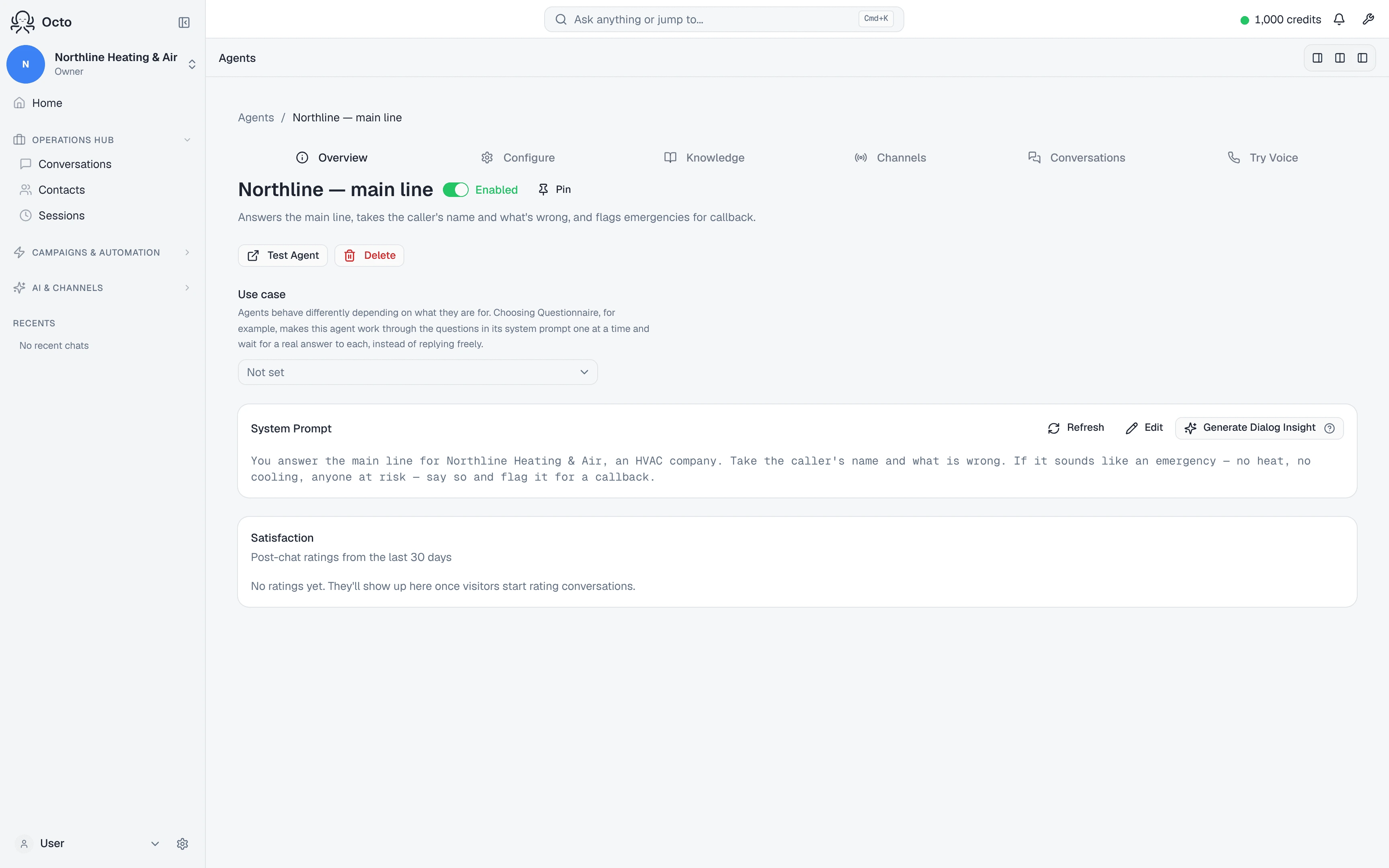
The two tests, and what each proves
Not interchangeable, and confusing them wastes an afternoon.
| Test | Where | What it proves |
|---|---|---|
| Start mic test | /agents | The agent’s words, voice and knowledge |
| Try Voice → Call My Phone | /agents | The agent over a real phone call |
| Ringing the number yourself | any phone | The number, the binding, and the agent |
The mic test is the fastest loop for iterating on what the agent says — “no phone needed — talk to the agent straight from this page.” But “WebRTC works for browser testing. Phone routes need a number.” Only the last row proves that a customer ringing your line reaches your agent.
Use the mic test until the words are right. Then ring the number once, from a phone, and listen for your own greeting. Hearing a greeting that is not yours means the number is not bound to this agent — see why your voice agent isn’t working.
Give it something to know
/agents/knowledge — “Create an agent first, then add knowledge to ground it.” Opening hours, prices, what you do and do not do, where you are.
Do this before you test rather than after. Most disappointing first calls are not a broken agent; they are a correctly working agent that has not been told anything, answering questions it has no way to answer.
Deploying it is half the job
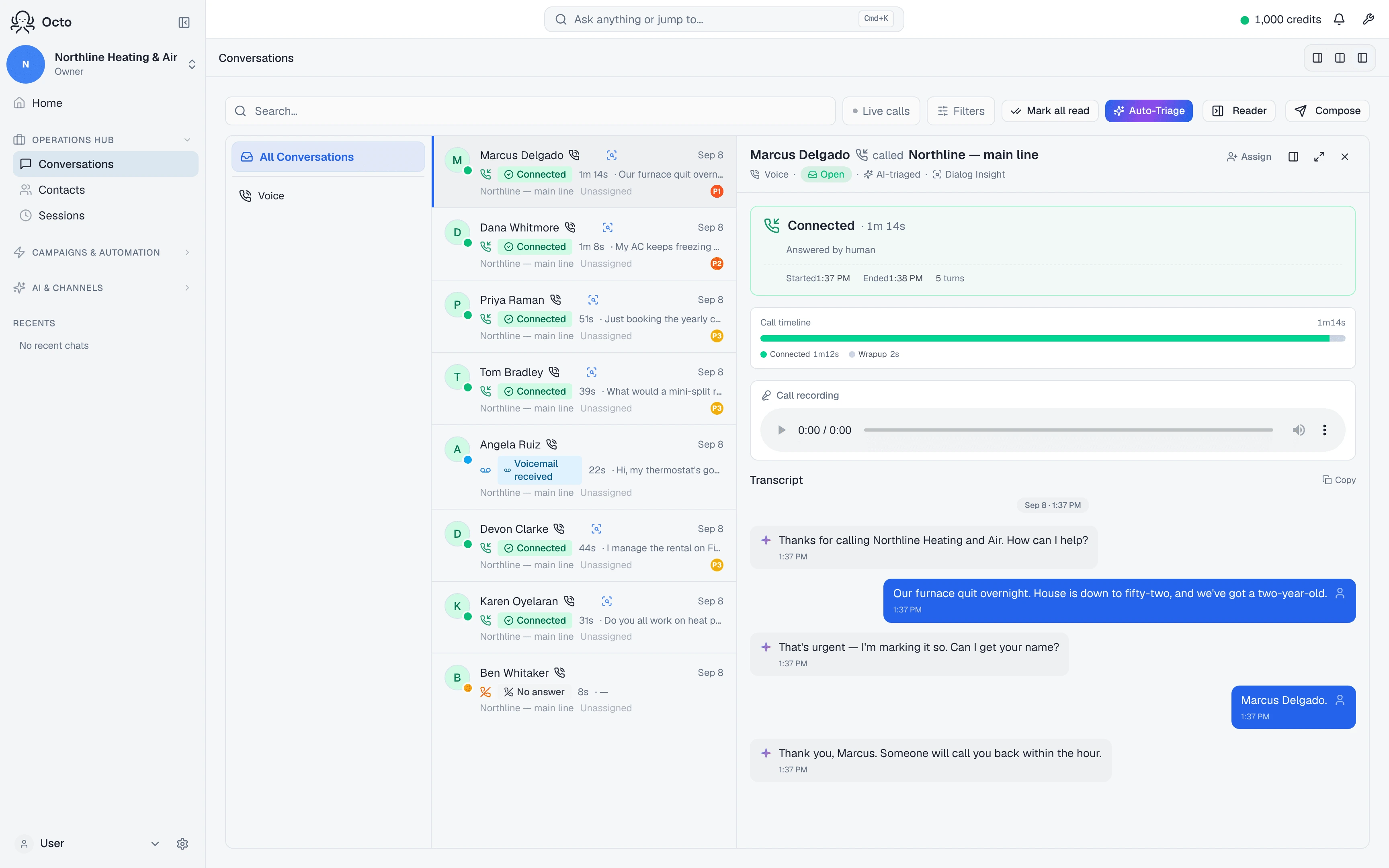
A receptionist that answers and forgets is an answering machine. The second half is what happens to the call afterwards, and it is where the value is.
Every call ends, and that ending can start a workflow. Take a message, book something, write the caller into your contacts, send yourself an email — the follow-on is a workflow, so it is not limited to a list of receptionist features. You describe it the same way you described the agent.
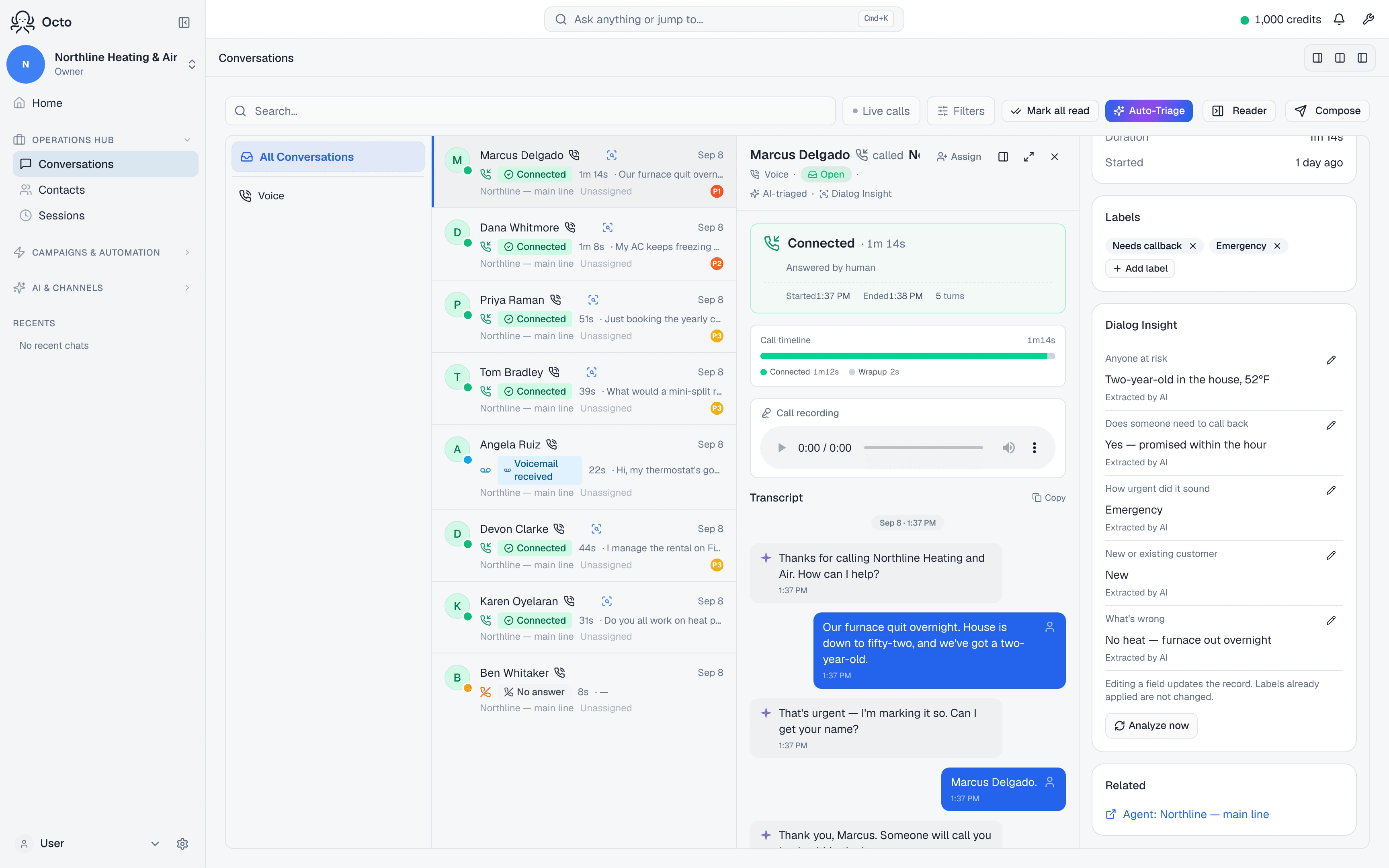
The conversation is analysed. Attach a Dialog Insight on /dialog-insights and Octo extracts the fields you asked for from every transcript, while Auto-Triage sorts the queue by priority. Attach it to the agent rather than a campaign and every call comes back in the same shape, inbound and outbound.
If one of your fields is something like needs callback, that is what marks the calls a human should ring back — which is how this is usually run, rather than transferring a live caller to somebody who may not be there.
Give it a minute. Analysis normally lands within seconds of the call ending, but the guaranteed path is a sweep that runs every half hour. If you hang up and the insight is not there yet, it is coming — do not go looking for a fault.
More on what comes back: what happens after the call.
Two things worth knowing
A number with no agent answers anyway. Before you have built anything, a connected number is answered by a test agent so you can hear that the line works. That is an onboarding convenience, not your receptionist. Once you have built one, bind it — and if you would rather an unbound number simply not answer, that is a setting.
Inbound calls are always answered. Spend caps and concurrency limits apply to calls Octo places, not to calls it receives. For a receptionist that is the behaviour you want — it will never stop picking up because a limit was reached — but it does mean inbound volume is not bounded by those caps, and a do-not-call list does not stop somebody dialling you.