Customer email, answered the way you'd answer it.
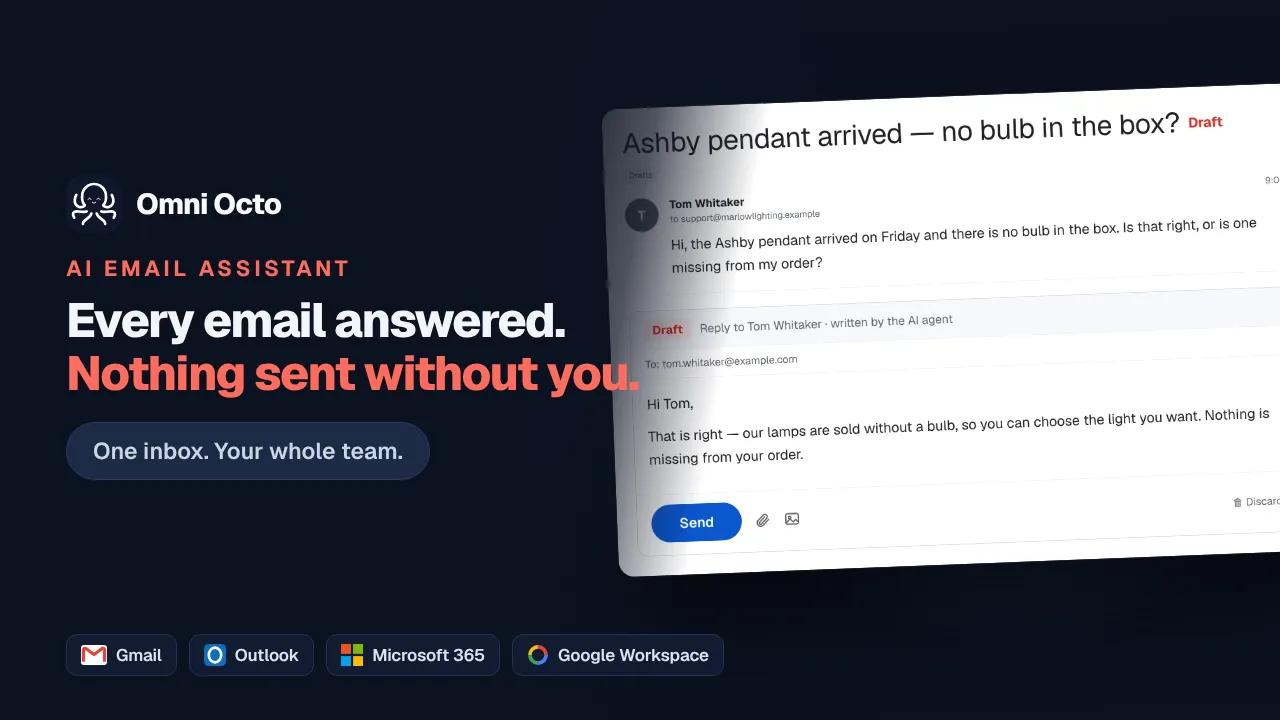
AI email customer service connects your existing support mailbox — Gmail or Outlook — and replies to customers from it, at a distance you set. You choose per mailbox, and per thread, whether the AI sends on its own, leaves a draft in your Drafts folder for you to approve, or stays out of it entirely.
Email work draws on your plan's included credits. Connecting a mailbox uses the mailbox you already pay for — no new address, no forwarding rules.
Or just ask for it
The mailbox is the product. This is the dial.
Change how it behaves without leaving the thread you’re in.
Inbox38 customer emails handled
31 answered, 7 drafted for you, and one escalated — Kepler asked for a refund, which is your call. Eleven auto-responders were dropped rather than replied to, so nothing looped.
Never answer anything mentioning a refund. Draft those instead.
@Octo what’s waiting on a human in support@?
On it 🔧(runningget_conversations…)
Seven drafts and one escalation. Two of the drafts are older than a day. (edited)
👀 23 replies · last reply 8m ago
I did three of them straight in Gmail just now
Email octo@agent.omniocto.com · WhatsApp 1-MAN-ASK-OCTO · Slack #omniocto
Recorded walkthrough
Three and a half minutes, end to end
The dial, not the switch
Three modes. Per mailbox, and per thread.
The objection to AI on customer email is never "can it write" — it is "what will it send". So the amount of autonomy is a setting, it defaults to the cautious end, and any individual thread can be pulled back from the rest.
It writes, you send.
The reply is composed and saved as a draft in your own Gmail or Outlook Drafts folder. You edit it, approve it, or throw it away. Nothing reaches the customer without a person pressing send.
It writes and sends.
For the mail you'd rather never see — order status, opening hours, the same five questions. The reply goes out immediately and the whole exchange is still in your inbox to read.
It stays out.
No AI runs on the thread at all. The mail still lands in the shared inbox, gets assigned and labelled like everything else, and a person writes every word of the reply.
A thread's own setting wins over the mailbox default. One awkward customer can be moved to human-only without changing anything else.
Both providers
Six mailbox shapes, one connection flow.
Support inboxes are rarely a plain account. They are a shared mailbox, or an alias, or a Group that three people watch. All six shapes connect the same way and behave the same afterwards.
Personal Gmail
A single @gmail.com account — the one a lot of small businesses actually run on.
Google Workspace
Your own domain on Workspace, connected by the person who owns the account.
you@yourcompany.comWorkspace shared mailbox
A mailbox nobody logs into, connected through domain-wide delegation by a Workspace admin. There is a written runbook for it.
support@yourcompany.comGoogle Group
The address your whole team is subscribed to, with the Group's own mail handled rather than each member's copy.
Microsoft 365
A user mailbox or a shared mailbox on M365, including the Group-backed ones.
Outlook.com
Consumer Outlook and Hotmail addresses, same as the business ones.
Send-as aliases are handled, so a reply leaves from the address the customer wrote to.
Where it all lands
Email stops being a separate place.
A customer who emailed on Monday and called on Thursday is one story, in one list.
- Dana Whitfield Re: Chipped tooth — can I be seen this week? Draft ready 8:42p
- +1 206 ··· ···· Message taken — callback requested for the morning Answered 8:41p
- Marcus Reid do you do same-day crowns? Answered 7:15p
- billing@northvale.co Invoice query — March statement discrepancy For you 4:02p
- Website visitor what time do you close on Saturdays? Answered 3:48p
One thread list, one search, one set of labels. The email rows are the same threads sitting in Gmail — this is a second window onto them, not a copy.
One inbox, seventeen channels
Email threads sit next to WhatsApp, SMS, web chat and live phone calls, with the same assignment, labels, statuses and search across all of them. A customer who emailed on Monday and called on Thursday reads as one story.
assignment · labels · statuses · full-text searchIt reads the new part
Quoted history is stripped before the agent sees the message, using the reply-header shapes Gmail and Outlook write in English, French, German, Spanish and Chinese. A long thread does not get answered from the top again.
quoted-history stripping · 5 language familiesAuto-replies do not start fires
Out-of-office notices, bounce notifications and bot addresses are recognised and dropped instead of answered. Four independent layers sit behind that, because the failure this prevents is a mail loop nobody is awake to stop.
4-layer loop prevention · auto-responder detectionLong threads carry a summary
Past roughly eight messages a rolling summary is maintained on the thread, so whoever opens it next — agent or human — starts from where things stand.
rolling thread summariesDrafts live in your real Drafts folder
Not in a review queue in another tab. The draft is a Gmail or Outlook draft, so you can approve it from your phone in the mail app you already use.
native Gmail / Outlook draftsQuestions
The things people actually ask.
- Does it send email without me seeing it first?
- Only if you tell it to. Every channel has a default mode — autonomous, draft-for-approval, or human-only — and any single thread can override it. Most people start every mailbox in draft mode, read a week of drafts, then loosen the threads they stop editing.
- Which mailboxes can it connect to?
- Six shapes across the two providers people actually use: a personal Gmail account, a Google Workspace account, a Workspace shared mailbox via domain-wide delegation, a Google Group, Microsoft 365 (user or shared mailbox), and consumer Outlook.com. Send-as aliases are supported, so replies leave from support@ rather than from you.
- What happens when a teammate replies from Gmail directly?
- It syncs back. The platform watches the sent folder as well as the inbox, so a reply your colleague typed in Gmail shows up on the thread here, and the agent knows the question has already been answered instead of answering it again.
- Will it get into a loop with an out-of-office reply?
- No. Auto-responders and vacation replies are detected and dropped rather than treated as a customer asking something, and there are four independent layers of loop prevention behind that — the failure mode this guards against is a mail loop that runs all night.
- Does it read the whole quoted thread every time?
- It reads what is new. Quoted reply history is stripped out of the inbound body before the agent sees it — including the reply headers Gmail and Outlook write in English, French, German, Spanish and Chinese — so a twelve-message thread does not get re-answered from the top.
- What happens on a very long thread?
- Once a thread gets past roughly eight messages, a rolling summary is kept alongside it, so the agent and whoever picks it up next both start from where things actually stand rather than from message one.
Keep reading
Related jobs you can hand over.
Email work draws on your plan's included credits. Connecting a mailbox uses the mailbox you already pay for — no new address, no forwarding rules.